
Shift Management Software: How to Build Conflict-Free Rosters Automatically
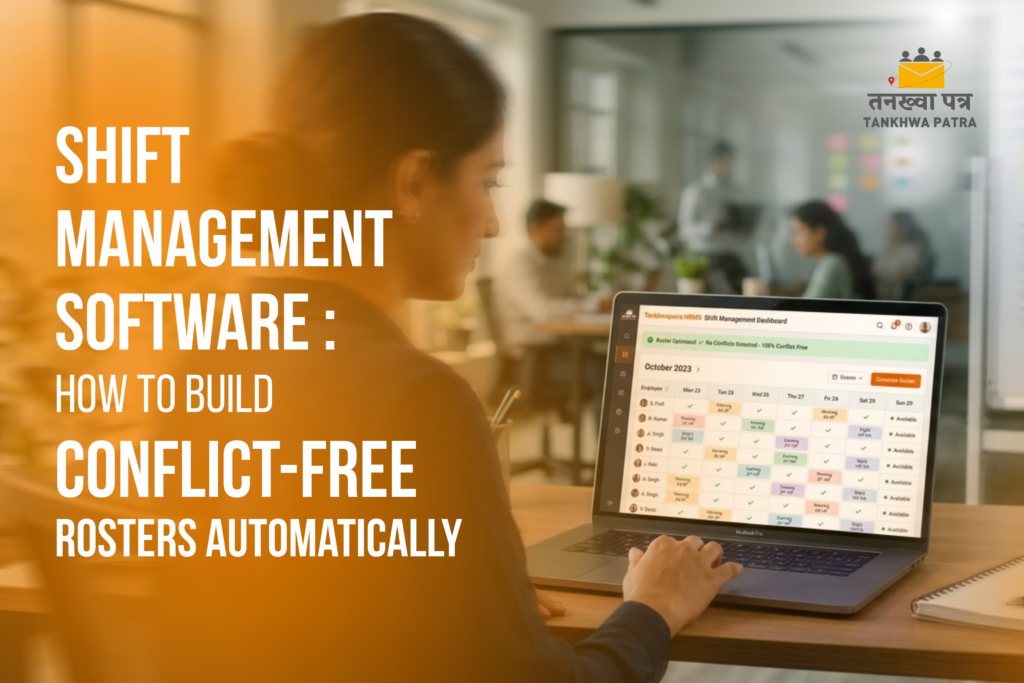
Is your HR manager spending hours every week building shift rosters manually? Are employees complaining about unfair shifts, last-minute changes, or overlapping duties?
Shift management is one of the most time-consuming HR tasks in India. Whether you run a factory, hospital, retail store, or call centre – getting shifts right every week is a constant challenge.
In this blog, we explain how shift management software inside your hrms software builds conflict-free rosters automatically – saving your HR team hours every week and keeping employees happy.
Simple language. No technical jargon. Real examples from Indian businesses.
| What is Shift Management Software? |
Shift management software is a feature inside your hrms system that helps you plan, assign, and manage employee shifts automatically.
Instead of building rosters on Excel or a whiteboard – the hr management software creates schedules based on your rules. It checks employee availability, leave status, skills, and legal working hour limits before assigning any shift.
It then connects to the hrms attendance system and hr payroll software – so attendance and overtime are calculated correctly without any manual effort.
| Note In Simple Words Shift management software = automatic rosters with zero conflicts, zero double bookings, and zero overtime errors. All connected to your hrms human resource management system. |
| Why Manual Shift Rosters Are a Problem |
Most Indian businesses still build shift rosters on Excel or paper. This creates real problems every single week. Here is what goes wrong:
| The Problem | What It Costs You |
| Two employees assigned to the same shift by mistake | Confusion, conflict, and understaffing on the floor |
| Employee assigned a shift they already have leave for | Last-minute calls and scrambling to find replacements |
| No visibility of who is available and who is not | HR spends hours cross-checking Excel sheets and WhatsApp |
| Overtime not tracked properly | Employees underpaid or overpaid. Payroll errors every month. |
| Night shift assigned to the same person every week | Employee complaints. High attrition. Labour law risk. |
| Roster changes not communicated in time | Employees miss shifts. Operations suffer. |
| No connection between roster and payroll | Shift allowances calculated manually. Errors guaranteed. |
| Note Real Cost Indian HR teams spend an average of 4 to 8 hours per week building and fixing shift rosters manually. That is 200 to 400 hours per year wasted on scheduling alone – time that could go into real HR work. |
| How Shift Management Software Builds Conflict-Free Rosters |
Tankhwa Patra hr management system software builds rosters automatically by checking multiple factors at the same time. Here is how it works step by step:
Step 1 – Set Your Shift Rules Once
You enter your shift timings, weekly off rules, minimum rest hours between shifts, and maximum working hours per week into the hr system software. You do this once. The software follows these rules every time it creates a roster.
For example: Morning shift 6 AM to 2 PM. Afternoon shift 2 PM to 10 PM. Night shift 10 PM to 6 AM. Minimum 8 hours rest between shifts. No more than 5 consecutive night shifts.
Step 2 – Software Checks Availability Automatically
Before assigning any shift, Tankhwa Patra hrms solution checks the hrms leave management module. If an employee has applied for leave on a particular day direct reflect on their monthly calender. No manual cross-checking required.
The hr information systems also check weekly offs, previous shift history, and legal working hour limits. All in seconds.
| Note Result Zero shifts assigned to employees who are on leave. Zero double bookings. The human resource management system software handles all of this before you even see the roster. |
Step 3 – Rosters Built in Minutes, Not Hours
Once your rules are set, Tankhwa Patra cloud hr systems platform generates the full week’s roster automatically. You review it on the hrms web dashboard and make any final adjustments. What used to take 4 to 6 hours now takes 15 to 20 minutes. But it totally depends on the strength of employees.
Step 4 – Employees Notified Instantly
As soon as the roster is published, every employee gets a notification on their employee hrms app. They can see their shifts for the full week on their phone. No WhatsApp broadcasts. No notice boards. No missed updates.
If a shift changes, the hrms for emplyees app notifies the affected employee instantly.
Step 5 – Attendance Tracked Against the Roster
The hrms attendance system cross-checks every check-in against the published roster. If an employee checks in late, leaves early, or misses a shift – it is flagged automatically in the hrms hr dashboard. HR can see the full picture without chasing anyone.
Step 6 – Shift Allowances Flow into Payroll Automatically
This is where businesses save the most money. In Tankhwa Patra hr and payroll software, shift allowances – night shift allowance, weekend allowance, overtime pay – are calculated automatically from the roster and attendance data. The human resource payroll software processes everything without any manual input.
| Note Result Payroll errors from wrong shift allowance calculations drop to near zero. Your hr payroll programs calculate everything correctly because roster data flows directly into the hr software and payroll module. |
| What Makes a Roster Conflict-Free? |
A conflict-free roster means no employee is double-booked, no shift is understaffed, and no labour law is violated. Tankhwa Patra hrm human resource management system checks all of these automatically:
| Conflict Type | How HRMS Prevents It |
| Employee assigned to overlapping shifts | System blocks double assignments automatically |
| Employee on leave assigned to a shift | hrms leave management syncs in real time – leave blocks roster slot |
| Same employee on night shift too many days in a row | Maximum consecutive shift rules enforced automatically |
| Insufficient rest between shifts | Minimum rest gap checked before every assignment |
| Department understaffed on a shift | Minimum headcount alerts notify HR before publishing roster |
| Overtime exceeding legal limits | hr information system software flags excess hours before they happen |
| Wrong skills assigned to critical shifts | Skill-based shift assignment ensures right person for right role |
| Industries That Need Shift Management Software Most |
| Industry | Shift Challenge |
| Factories and Manufacturing | 24/7 operations with 3 rotating shifts |
| Hospitals and Clinics | Nurse and doctor shift coverage gaps |
| Retail Chains | Weekend rush and weekday low traffic |
| Call Centers and BPOs | Night shifts, weekend shifts, rotating schedules |
| Hotels and Hospitality | Seasonal demand spikes, multi-department shifts |
| Security and Facility Management | 24-hour coverage with no gaps |
| Logistics and Delivery | Early morning and late night runs |
| How Shift Management Connects to the Rest of Your HRMS |
The biggest advantage of using Tankhwa Patra hrms software for shift management is that everything is connected. Shift data does not sit in an isolated module – it flows across the entire hrms human resource management system.
- Shift roster connects to hrms attendance system – check-ins matched against assigned shifts
- hrms leave management blocks roster slots when leave is approved
- hr payroll software calculates shift allowances automatically from roster data
- hrms performance management tracks shift adherence as part of employee performance
- hrms hr dashboard gives managers real-time visibility of who is present on each shift
- hrms onboarding assigns new employees to their shift from Day One
- employee hrms app shows each employee their shift schedule on their phone
| Note One Connected System This is why the best hrms software handles shift management, attendance, leave, and payroll together – not as separate tools. Tankhwa Patra hrms solution does all of this in one place. |
| Manual Roster HRMS Roster |
| Task | Manual Roster (Excel or Paper) |
| Building weekly roster | 4 to 6 hours of HR time |
| Checking leave before assignment | Manual Excel cross-check |
| Communicating roster to employees | WhatsApp broadcast or notice board |
| Tracking shift attendance | Separate manual process |
| Calculating shift allowances | Manual calculation in Excel |
| Handling last-minute changes | Calls and WhatsApp messages |
| Compliance with working hour laws | HR manually checks rules |
| Frequently Asked Questions (FAQ) |
Q. What is shift management software?
Shift management software is a module inside your hrms software that automates the creation, assignment, and tracking of employee shifts. Instead of building rosters manually on Excel, the hr management software generates schedules automatically based on your rules, employee availability, leave status, and legal working hour limits. All data connects to the hrms attendance system and hr and payroll software for accurate payroll processing.
Q. How does the software prevent shift conflicts?
Tankhwa Patra hrms solution checks multiple factors before assigning any shift. It checks the hrms leave management module for approved leaves, checks minimum rest gaps between shifts, checks maximum consecutive working days, checks skill requirements for each shift, and checks minimum headcount rules. If any rule is violated, the hr management systems block the assignment and alerts HR. This happens automatically for every single shift in the roster.
Q. Can it handle factories with 3 rotating shifts?
Yes. Tankhwa Patra human resource management system software is built for complex multi-shift environments. You can set up as many shift types as needed – morning, afternoon, night, split shifts, and flexible shifts. Rotation rules can be configured so the same employee does not stay on night shift continuously. The hr system software enforces all rules automatically when building each week’s roster.
Q. How do employees see their shift schedule?
Once the HR manager publishes the roster on the hrms web dashboard, every employee gets a notification on their employee hrms app. They can see their full week’s shift schedule on their phone. If any shift is changed, the hrms for employees app notifies them immediately. No WhatsApp messages, no notice boards, no confusion about who is working when.
Q. Does shift management connect to payroll?
Yes. This is one of the most valuable features of Tankhwa Patra hr and payroll software. Shift allowances – night shift allowance, weekend allowance, holiday pay, and overtime – are calculated automatically from the roster and attendance data. The human resource payroll software processes all of this without any manual input. Your hr payroll programs never need to manually calculate shift-based pay components again.
Q. Can managers swap shifts for employees?
Yes. In Tankhwa Patra hrms hr module, managers can swap shifts between employees directly on the hrms web portal. The system checks that the swap does not create any conflicts before approving it. Both employees are notified instantly on their employee hrms app. The updated roster is reflected in the hrms attendance system immediately.
Q. Is shift management software suitable for small businesses?
Yes. Tankhwa Patra is the best hrms software for startups and small businesses with shift-based work. Even a business with 20 employees running 2 shifts can save several hours of HR time every week by automating roster creation. The hr management system software is affordable, quick to set up, and scales as your team grows.
| Conclusion |
Building shift rosters manually is one of the biggest hidden time wasters in Indian HR teams. Hours spent on Excel, WhatsApp messages for roster updates, payroll errors from wrong shift allowances, and employee complaints about unfair scheduling – all of these problems have one solution.
Tankhwa Patra shift management software inside the hrms solution automates the entire process. Rules set once. Rosters built in minutes. Leave synced automatically. Employees notified instantly. Attendance tracked against the roster. Shift allowances calculated correctly in the hr payroll software.
Whether you run a 24-hour factory, a busy hospital, a retail chain, or a growing startup – the right hrms software turns shift management from your biggest headache into your most organized HR process.
Indian businesses that switch from manual rosters to automatic shift management using hrms systems save 4 to 8 hours of HR time every week and reduce shift-related payroll errors by over 90 percent.
If you are still building rosters on Excel – this is the right time to change.
Ready to Simplify Payroll & HR Operations?
Book a FREE personalized demo of Tankhwa Patra and discover how Mumbai businesses are automating payroll, attendance, compliance, employee management, and workforce operations from a single integrated platform.
Call: +91 70418 01390 | +91 89809 38940Disclaimer: The information provided is for general informational purposes only. It may vary over time, so we recommend verifying the details independently before making any decisions.
