
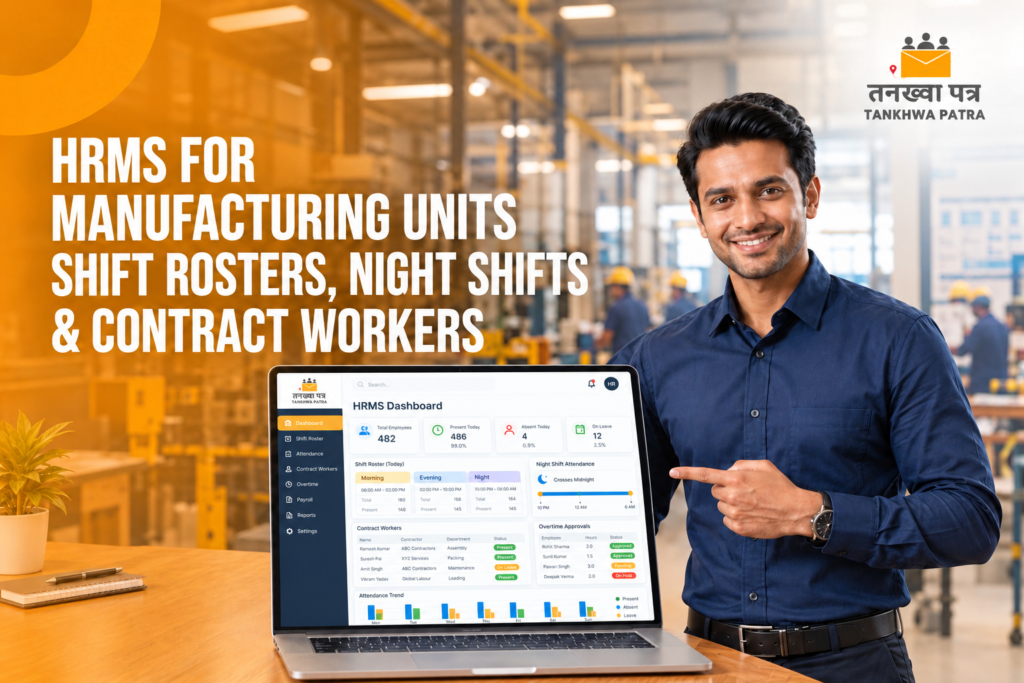
HRMS for Manufacturing Units: Shift Rosters, Night Shifts and Contract Workers
Quick answer: In a factory, payroll errors usually begin on the shop floor: rotating shifts are logged on paper, night shifts split across two dates, and contract workers sit in a separate sheet. A manufacturing HRMS such as Tankhwa Patra HRMS captures attendance from biometric devices or the app, applies shift and week-off rules, calculates approved overtime and feeds the same records into salary slips.
It is the 28th, and the HR executive at a plant on the outskirts of Ahmedabad has four things open: the morning-shift muster, a night-shift register where half the entries run past midnight, an Excel sheet of contractor workers sent by two different contractors, and a WhatsApp message asking for last Sunday’s overtime to be added. The night-shift supervisor says his team worked six nights. The sheet says five. By the 30th, three workers are at the HR desk and the accounts team is still reconciling.
This guide is for factory owners, plant HR heads, production managers and accounts teams running manufacturing units, workshops and industrial plants in Gujarat and across India. It explains what a manufacturing HRMS must handle, why registers and Excel break on the shop floor, how Tankhwa Patra HRMS helps, how to manage shift rosters, night shifts and contract workers, a comparison table, a 7-step workflow, a 9-point buyer checklist, common mistakes and which plan to look at.
Please note: PF, ESIC, professional tax, overtime, night-shift and contract labour rules vary by state and change over time. This guide does not state any rates, limits or due dates, and it is not legal or tax advice. Verify the details with the latest government notification or a qualified CA, labour-law consultant or payroll professional before you process salaries.
What should an HRMS for a manufacturing unit handle?
A manufacturing HRMS must record attendance accurately across shifts, apply the right roster and week-off to each worker, handle night shifts that cross midnight, keep permanent staff and contract workers in one system, calculate approved overtime, and feed all of it into salary slips and compliance reports.
- Multi-shift attendance: morning, general, evening and night shifts, each with its own timings and grace rules.
- Rotational rosters: workers who move between shifts weekly or fortnightly, without anyone re-keying the schedule.
- Night shifts across midnight: a shift that starts on one date and ends on the next should count as one working day, not two partial days.
- Contract and temporary workers: recorded in the same system as permanent staff, but tagged so reports can be separated.
- Overtime with approvals: extra hours approved by the supervisor and calculated by policy before payroll runs.
- Payroll and slips: salary processing, loans and advances, and automatic salary slips from the same attendance records.
- Compliance reports: PF, ESIC and PT reports generated from payroll data, so statutory work starts from clean numbers.
- Visibility across plants: live attendance and reports so owners and plant heads see who is in without calling each supervisor.
Some factories also need visitor and gate-pass control, asset tracking for uniforms, tools and ID cards, and a way to handle field or maintenance staff who work outside the plant. These come as separate modules or add-ons, so check what your plan covers.
Why do registers and Excel break in factories?
Registers and Excel break in factories because shifts rotate, night shifts cross midnight, contract workers arrive through several contractors, and overtime is agreed verbally. Each shift supervisor records things differently, HR re-types everything, and one wrong date or missing entry changes a worker’s pay with no easy way to trace it.
- Rotating rosters kept on paper: a worker moves from morning to night shift, but the muster still shows the old shift, so late marks and overtime are wrong.
- Night shifts split across two dates: a worker who punches in at 10 PM on the 14th and out at 6 AM on the 15th shows up as two incomplete days, or as absent on one of them.
- Contract workers in separate sheets: each contractor sends their own file, with different columns and spellings, so the same worker appears twice or not at all.
- Overtime agreed on the floor: extra hours are noted in a diary or a WhatsApp message and reach HR after payroll has closed.
- Proxy and buddy punching: with a paper muster or a shared card, nobody can say with confidence who was actually present.
- Slow reporting for owners: the plant head learns about absenteeism at the end of the month, not at the start of the shift.
Illustrative example (not real data): A night-shift operator is scheduled for a 10 PM to 6 AM shift on six consecutive nights. The register records the entry date only, and the sheet counts the early-morning hours as the next day. On one night the operator’s out-punch falls on a week-off date, so the formula marks the hours as overtime on the wrong day, and on another it marks the shift as half a day. Six nights worked become five paid days plus a disputed overtime entry. The fix is to count the shift against the date it started, which depends on your policy, so confirm the method with your CA or payroll professional.
How does Tankhwa Patra HRMS help manufacturing units?
Tankhwa Patra HRMS brings shift, attendance, overtime, leave and payroll into one system. Attendance comes from biometric devices, app punch-in or offline machine data upload, shift and week-off rules are applied automatically, approved overtime flows into payroll, and salary slips are generated from the same records. Features below are listed on tankhwapatra.com/features-of-hrms-software; some depend on your plan.
| Pain point | Tankhwa Patra feature | What changes |
| Rotating shift rosters | Multiple shifts; flexible and rotational shifts; shift roster creation | Each worker’s shift is assigned in the system, not remembered by the supervisor |
| Week-offs differ by team | Week-off policies; multiple holiday calendars | Different week-off patterns are applied by policy |
| Attendance on paper registers | Biometric and device integration; web and app punch-in/out; offline machine data upload (Excel/USB) | Punches from every gate and plant land in one place |
| Overtime agreed verbally | Policy-based overtime rules; approvals; automated overtime calculation | Approved hours are calculated before payroll, so they reach the slip |
| Leave not matching attendance | Leave-attendance sync; payroll-ready leave tracking | Approved leave shows in attendance and in paid days |
| Advances and loans to workers | Loan and advance management | Recoveries are tracked against payroll |
| Manual salary slips | Automated salary processing; automatic salary slip generation | Slips come from bulk processing after verification |
| Workers asking HR for slips | Employee ESS app | Staff view payslips, attendance and leave on their phone |
| Statutory data scattered in files | PF, ESIC and PT compliance reports | Reports are generated from payroll data |
| Owner cannot see the floor | Live attendance monitoring; one-click reports; HR analytics | Plant heads see who is in, shift by shift |
| Visitors and contractors at the gate | Digital visitor gate pass | Visitor entries are recorded digitally instead of in a register |
Tankhwa Patra also sells TP Face Pro biometric devices on its site. For contractor-wise reports, contract labour registers and the exact way contract workers are tagged, confirm with the Tankhwa Patra team before you decide.
How should you handle shift rosters, night shifts and contract workers?
Set the rules once and let attendance drive the numbers. Define each shift and roster pattern, decide how a night shift is counted, and register contract workers in the same system as permanent staff, so paid days, overtime and reports all come from one record.
Shift rosters
List every shift in the plant, with start time, end time, break and grace period. Create a roster for each pattern, such as a weekly rotation between morning and evening, and assign workers to it. With multiple shifts and week-off policies in one system, a worker who moves from the general shift to the night shift is counted correctly from the first punch. When production changes mid-week, edit the roster once instead of correcting every muster.
Night shifts
Decide in advance which date a night shift belongs to. The common approach is to count the whole shift against the date it started, so a 10 PM to 6 AM shift is one working day. Whatever rule you choose, write it into your policy and apply it in the shift settings, so the system, the supervisor and the worker all see the same count. Statutory rules on night work, allowances and overtime vary by state and by law, so confirm them with your CA or labour-law consultant.
Contract workers
Contract and temporary workers are often a large part of a factory’s headcount and the hardest to track. Keep them in the same system as permanent staff, collect their documents and joining dates at onboarding, and issue them biometric or app punches like everyone else. Record the contractor or agency against each worker in whatever field your setup allows, so you can report headcount, hours and payments contractor-wise. If a contractor pays the workers directly, your attendance records are still the evidence of days worked, so keep them accurate. Confirm with the Tankhwa Patra team how contractor-wise tagging, contractor billing and contract labour registers are handled in your plan.
Overtime and peak-season hours
Factories stretch hours before dispatch deadlines and festivals. Agree the overtime policy before the season: who approves it, what counts as overtime and how it is paid. Policy-based rules and approvals in the HRMS then calculate approved hours automatically, and supervisors approve overtime before payroll closes, not after.
Registers and Excel vs a manufacturing HRMS: what is the difference?
Registers and Excel hold whatever each supervisor writes down; an HRMS applies one set of shift, week-off and overtime rules to attendance captured at the gate. Excel still works for a very small unit with one shift and a handful of workers, but it strains once you add a second shift, night work, contractors or a second plant.
| Area | Registers and Excel | Tankhwa Patra HRMS |
| Attendance source | Paper muster or typed sheets | Biometric, app punch-in or offline device upload into one system |
| Shift rosters | Kept by supervisors, changed on paper | Multiple and rotational shifts assigned in the system |
| Night shifts | Counted by hand across two dates | Shift rules applied by policy |
| Week-offs and holidays | Marked manually per team | Week-off policies and holiday calendars |
| Contract workers | Separate sheets from each contractor | Recorded in the same system as permanent staff |
| Overtime | Verbal approval, entered late | Policy-based rules with approvals and automated calculation |
| Loans and advances | Tracked in a notebook or separate file | Loan and advance management linked to payroll |
| Salary slips | Built one by one | Generated automatically after bulk processing and verification |
| Statutory reports | Compiled from many files | PF, ESIC and PT reports from payroll data |
| Worker access | Printed slips and queries to HR | Payslips, attendance and leave in the ESS app |
| Visibility for owners | End-of-month summaries | Live attendance and one-click reports |
| Best for | One small unit with one shift | Plants with several shifts, night work and contractors |
What does a shift-to-salary-slip workflow look like in a factory?
A factory workflow runs from the gate punch to a verified slip: capture attendance at every shift, apply rosters and week-offs, sync leave, approve overtime, update joiners and leavers including contract workers, process payroll in bulk, then generate and share slips. Every step uses the same records, so nothing is retyped.
- Capture attendance at every gate. Workers punch in on biometric devices or the app. Plants without a live connection upload machine data by Excel or USB.
- Apply rosters, shifts and week-offs. Assign each worker to a shift or rotation and the right week-off policy and holiday calendar.
- Sync leave. Approved leave flows into attendance so paid days are payroll-ready.
- Approve overtime. Supervisors approve extra hours against the policy, and the hours are calculated automatically.
- Update joiners and leavers. Add new permanent and contract workers with their joining dates, and record exit dates for those who leave, so paid days reflect actual service.
- Process and verify payroll. Run bulk salary processing, check exceptions plant by plant, and include approved loans and advances.
- Generate and share slips. Salary slips are generated automatically and workers view them in the ESS app. PF, ESIC and PT reports come from the same run.
How do you choose an HRMS for a manufacturing unit?
Choose an HRMS that handles several shifts, night work and contract workers in one system, calculates overtime from approved hours, and feeds payroll and compliance reports from the same attendance. Test it with one real month of attendance from two shifts and ask directly about anything that is not listed.
9-point buyer checklist
- Multi-shift support. Handles fixed and rotational shifts with assignable rosters.
- Night-shift rules. Counts shifts that cross midnight the way your policy says.
- Week-offs and holidays. Supports different week-off patterns and holiday calendars by team or plant.
- Flexible attendance capture. Takes biometric, app and offline device data into one system.
- Overtime with approvals. Lets you set policy-based overtime and approve it before payroll.
- Contract worker handling. Records contract workers alongside permanent staff; ask how contractor-wise reports work.
- Bulk payroll and slips. Processes all workers together and generates slips after verification.
- Compliance reports. Generates PF, ESIC and PT reports from payroll data.
- Clear answers on gaps. Gives direct answers on contract labour registers, contractor billing and any ERP integration you need; for Tankhwa Patra HRMS, confirm these with the Tankhwa Patra team.
Before a demo, list your shifts, your night-shift counting rule, the number of contract workers and how overtime is paid today, so you can test real scenarios instead of a generic walkthrough.
What mistakes should factories avoid with shift payroll?
The biggest mistakes are leaving night-shift counting undefined, accepting separate sheets from contractors, approving overtime after payroll closes and running a parallel register “just in case”. Software helps only when every shift and contractor follows one attendance process and HR checks exceptions before slips go out.
- Moving to software but still accepting paper musters or contractor sheets from some teams.
- Not deciding which date a night shift belongs to, so the same shift is counted differently by different supervisors.
- Leaving week-off patterns and holiday calendars undefined, so a day off shows up as an absence.
- Agreeing overtime verbally and recording it after the payroll cut-off.
- Adding contract workers late, so their first days are missing from attendance.
- Forgetting to recover advances, tools or uniforms when workers leave.
- Assuming the software files returns or replaces a labour-law review. Reports help you prepare; confirm filings with your CA or consultant.
- Not showing workers the ESS app, so they keep queuing at the HR desk for slips.
Which Tankhwa Patra plan suits a manufacturing unit?
Tankhwa Patra offers three plans, Dreamer, Performer and Achiever, with higher plans adding more modules. Check current pricing on tankhwapatra.com/pricing and match the plan to what your plant needs: attendance, shifts, overtime and payroll for every shift, plus modules such as onboarding, off-boarding, asset management or visit management.
Live GPS tracking and geo-fencing is a paid add-on, useful only for staff who work outside the plant, such as maintenance, sales or delivery teams. Some features depend on the plan, so ask the Tankhwa Patra team which plan covers your headcount, shift pattern and must-have modules.
What do factory owners ask about HRMS and payroll?
What is the best HRMS for a manufacturing company in India?
The best HRMS for a manufacturer is one that handles multiple and rotating shifts, night work, contract workers and overtime in one system, and feeds payroll and PF, ESIC and PT reports from the same attendance. Test any option with a real month of your own shift data before you decide.
How do you manage night-shift attendance in an HRMS?
Decide which date a shift that crosses midnight belongs to, usually the date it started, then set that rule in the shift settings. Workers punch in and out as usual, and the system counts the whole shift as one working day. Rules on night work and allowances vary by state, so confirm them with your CA or labour-law consultant.
Can one system manage permanent and contract workers?
Yes, in principle. Tankhwa Patra HRMS lets you add employees individually or in bulk and track them through their whole lifecycle, so contract workers can sit in the same system as permanent staff. How contractor-wise tagging and contract labour registers are set up depends on your plan, so confirm with the Tankhwa Patra team.
How do you handle rotating shifts and week-offs?
Create each shift and week-off policy once, then assign workers to a roster. With multiple shifts, week-off policies and holiday calendars in the same system, a Tuesday off in one team and a rotating off in another are both counted correctly, and a change in the roster is made in one place.
How is overtime calculated for factory workers?
Record extra hours through attendance punches, have a supervisor approve them against a written policy, then multiply approved hours by the rate your policy and the applicable law set. Overtime rules vary by state and by law, so verify the rate with a CA. Tankhwa Patra HRMS supports policy-based overtime rules, approvals and automated calculation.
Can workers see their salary slip on a phone?
Yes. With the Tankhwa Patra ESS app, employees can access their payslip and salary details on their phone, along with attendance, leave, reimbursements and documents. This cuts down on workers queuing at the HR desk each month.
Does the software file PF and ESIC returns?
Tankhwa Patra lists PF, ESIC and PT compliance reports among its features. These reports help HR teams prepare statutory work, but you should confirm filings and current rules with a qualified CA or payroll professional.
Conclusion
Registers and Excel can work for one shift and a few workers, but they break once you add rotating rosters, night shifts, contractors and festive overtime. Every re-typed muster is another chance for a wrong paid-day count or a missed overtime entry, and each mistake ends up on someone’s salary slip.
A central HRMS gives plant heads and accounts teams one set of attendance records, one set of rules and one payroll run for every shift. Use the 9-point checklist during a demo and test it with a real month of attendance from two shifts and your contract workers.
Book a Free Demo or Start a Free Trial of Tankhwa Patra HRMS at tankhwapatra.com.
Call: +91 70418 01390 | +91 89809 38940
Disclaimer: The information provided is for general informational purposes only. It may vary over time, so we recommend verifying the details independently before making any decisions.
