
TankhwaPatra Case Study: 4 HR and Payroll Requirements We Customised for Revomac Industries
How a construction machinery manufacturer got an HRMS that fits its processes, instead of changing its processes to fit the software.
Quick answer: Revomac Industries, a construction machinery manufacturer in Ahmedabad, needed an HRMS that adapted to its own processes. Its requirements were biometric connectivity, a dedicated probation end date, special payroll logic for holidays and weekly offs, and attendance-linked reimbursements. TankhwaPatra configured and customized TankhwaPatra HRMS to match each one.
Picture the HR team at a busy manufacturing plant at month-end. Biometric punches have to be pulled from the machine, probation dates are tracked in a separate sheet, holiday and weekly-off pay is worked out by hand, and reimbursement claims are checked against attendance one by one. Every step works, but each one depends on someone remembering the exception.
Revomac did not want to bend its policies to fit a standard tool. This case study explains who Revomac is, the four requirements it brought to us, how we addressed each one inside TankhwaPatra, and what changed. It also compares a standard setup with a customized HRMS software setup, walks through a seven-step implementation workflow, and gives a nine-point checklist for manufacturing companies.
| Please Note This case study describes customisations configured for one client. Custom workflows such as a dedicated probation end date or attendance-linked reimbursement were built for Revomac’s needs; for your own requirements, confirm with the TankhwaPatra team. Features and modules can also depend on your plan. Payroll, holiday pay, PF, ESIC and professional tax rules vary by state and change over time. Verify them with the latest government notification or a qualified CA or payroll professional. TankhwaPatra generates compliance reports; it does not file returns or guarantee legal compliance. |
| Who is Revomac Industries? |
Revomac Industries is a construction machinery manufacturer based in Ahmedabad, Gujarat. The company reports more than 450 installations across 15 countries. Like many manufacturers, it runs shop-floor and office teams with specific attendance, leave and payroll rules, which is why it needed an HRMS that could follow its processes closely.
| Client snapshot Client: Revomac Industries Industry: Construction machinery manufacturing Location: Ahmedabad, Gujarat Scale: 450+ installations across 15 countries (as reported by the client) HRMS platform: TankhwaPatra |
| What HR and payroll challenge did Revomac face? |
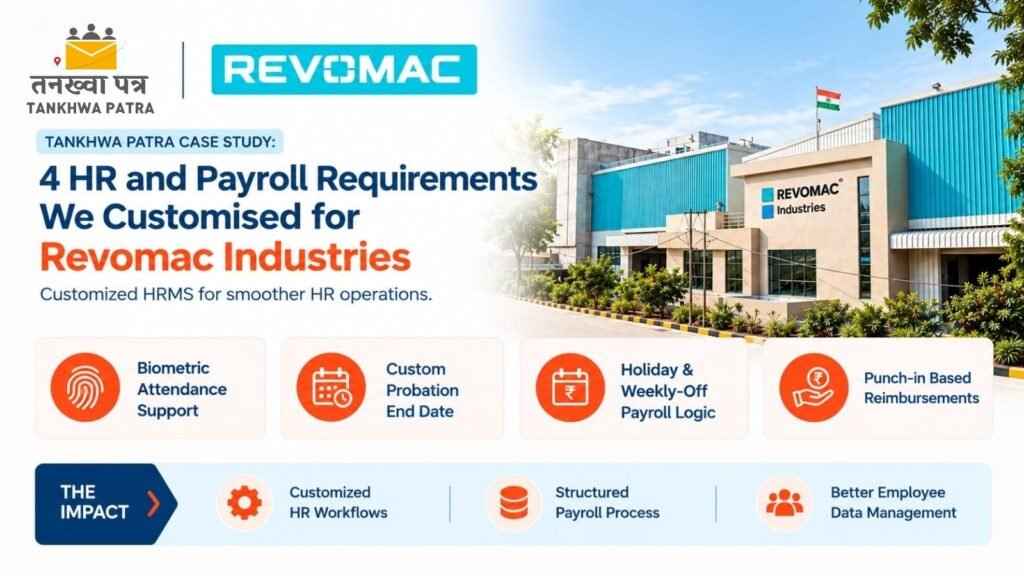
Revomac needed an HRMS that could adapt to its specific HR and payroll requirements rather than forcing a standard process. It had four clear needs: biometric device connectivity, a dedicated probation end date, special payroll logic for holidays and weekly offs, and reimbursements linked to attendance. Each one had to work without manual workarounds.
- Biometric device connectivity support, so punches flow reliably into the HRMS.
- A dedicated probation end date, tracked separately and accurately for each employee.
- Special payroll logic for holidays and weekly offs, matching the company’s own policy.
- Attendance-linked reimbursement, so claims depend on actual punch-in records.
None of these is unusual in manufacturing, and a good HRMS for manufacturing should handle each one. The challenge was getting all four inside one system, so HR would stop maintaining side sheets for every exception.
| Why do standard HRMS setups struggle in manufacturing companies? |
Standard HRMS setups struggle in manufacturing because plants run on specific rules: shift timings, biometric machines, holiday and weekly-off pay, and site-linked expenses. When the software cannot model these rules, HR keeps spreadsheets alongside it. That brings back manual errors, slows payroll processing and makes employee records harder to trust.
- Device gaps: in attendance management, biometric data that does not sync cleanly has to be uploaded or corrected by hand.
- Lifecycle dates: probation tracked outside the system is easy to miss when confirmations are due.
- Payroll exceptions: holiday and weekly-off rules that the software cannot apply get calculated manually.
- Disconnected expenses: claims approved without checking attendance lead to disputes later.
| How did TankhwaPatra address each requirement? |
We configured and customized TankhwaPatra HRMS around each of Revomac’s four requirements. That covered biometric attendance support with device coordination, a custom probation end date workflow, customised payroll logic for holidays and weekly offs, and a punch-in based reimbursement selection that links claims to attendance. Each solution sits inside the same platform.
- Biometric attendance support
The requirement: Reliable connectivity between Revomac’s biometric devices and the HRMS.
How we addressed it: Our team handled troubleshooting and device coordination so attendance data reaches the system cleanly. TankhwaPatra supports biometric attendance integration, along with offline machine data upload through Excel or USB as a fallback.
- Custom probation end date workflow
The requirement: A dedicated probation end date for each employee, separate from other joining details.
How we addressed it: We configured a custom probation end date workflow, giving Revomac separate and accurate probation tracking inside its employee records rather than in a side sheet.
- Customised payroll logic for holidays and weekly offs
The requirement: Payroll that appliesRevomac’s own rules for holidays and weekly offs.
How we addressed it: We customised the payroll logic so holiday and weekly-off pay is handled as per Revomac’s requirement. This builds on TankhwaPatra payroll software features, including custom salary structures, week-off policies, holiday calendars and automated salary processing.
- Punch-in based reimbursement
The requirement: Reimbursements that depend on whether the employee actually punched in.
How we addressed it: We set up attendance-linked reimbursement selection, so claims connect to punch-in records. TankhwaPatra expense and reimbursement management already supports mobile claims with proof, approvals and adjustment of approved expenses in salary slips.
| Pain point | TankhwaPatra solution | What changes |
| Biometric data not syncing reliably | Biometric attendance support with troubleshooting and device coordination | Attendance reaches the HRMS without manual fixes |
| Probation dates tracked outside the system | Custom probation end date workflow | Separate, accurate probation tracking per employee |
| Holiday and weekly-off pay worked out by hand | Customised payroll logic | Payroll applies Revomac’s own rules |
| Reimbursements not checked against attendance | Punch-in based reimbursement selection | Claims link to actual attendance records |
| Scattered employee information | One HRMS for attendance, payroll and records | Better employee data management |
| What impact did Revomac see? |
Revomac now runs customised HR workflows, a structured payroll process and better employee data management on one platform. Biometric attendance, probation dates, holiday and weekly-off pay and reimbursements follow the company’s own rules inside TankhwaPatra, so HR spends less effort maintaining separate sheets for exceptions every month.
| Results Customised HR workflows that match Revomac’s processes. A structured payroll process, including holiday and weekly-off logic. Better employee data management in one system. |
These are qualitative outcomes for this deployment. Results for other companies will depend on their requirements, setup and plan.
| Standard setup vs customised HRMS: what is the difference? |
A standard setup expects the company to follow the software’s default rules, so exceptions end up in spreadsheets. A customised HRMS is configured around the company’s own policies, so biometric data, probation dates, payroll exceptions and reimbursements are handled inside one system and every report comes from the same records.
| Area | Standard setup with side sheets | Customised HRMS |
| Attendance | Biometric data exported and fixed manually | Device data flows into the HRMS |
| Probation | Tracked in a separate spreadsheet | Dedicated probation end date in employee records |
| Holiday and weekly-off pay | Calculated by hand each month | Applied through customised payroll logic |
| Reimbursements | Checked against attendance manually | Linked to punch-in records |
| Employee data | Spread across files and tools | Held in one system |
| How does a customised HRMS implementation work? |
A customised HRMS implementation starts by listing every rule the company follows, then mapping which ones fit standard features and which need configuration. After setup, the team tests with real attendance and payroll data before going live. The steps below show a typical sequence, not a fixed timeline for every company.
- List every HR and payroll rule
Write down attendance, leave, probation, holiday, weekly-off and reimbursement rules, including the exceptions.
- Map rules to standard features
Check which rules fit existing features such as custom leave policies, shifts and salary structures.
- Agree on customisations
For rules that need more, agree on the custom workflow with the TankhwaPatra team before setup begins.
- Connect attendance devices
Connect biometric devices, or set up offline machine data upload, and confirm punches arrive correctly.
- Configure payroll and reimbursements
Set salary structures, holiday and weekly-off logic, and how approved reimbursements reach the salary slip.
- Run a parallel test month
Process one month in the HRMS alongside your current method and compare the results line by line.
- Go live and review
Switch over, give employees ESS app access, and review reports after the first live payroll.
| How do you choose an HRMS for a manufacturing company? |
Choose an HRMS for a manufacturing company by checking whether it connects to your biometric devices, handles shifts and holiday rules in payroll, links expenses to attendance and keeps employee lifecycle dates in one place. Then confirm which of your rules need customisation, and test the system with a demo using real data.
Use this nine-point buyer checklist:
- Does it integrate with your biometric attendance devices?
- Is there an offline option if a device cannot sync directly?
- Can it handle multiple shifts, week-off policies and holiday calendars?
- Can payroll apply your specific holiday and weekly-off rules?
- Can it track employee lifecycle dates such as probation?
- Can reimbursements be approved and adjusted in salary slips?
- Does it generate PF, ESIC and PT compliance reports?
- Will the vendor configure or customise workflows for your exceptions?
- Can you book a demo or start a trial to test with your own data?
| What mistakes should companies avoid when customising an HRMS? |
The biggest mistakes are asking for customisation before checking standard features, leaving exceptions undocumented, skipping a parallel test month and keeping old spreadsheets running after go-live. Customisation works best when the rules are written down clearly, agreed with the vendor and tested against real attendance and payroll data first.
- Customising rules that a standard feature already handles.
- Explaining exceptions verbally instead of documenting them.
- Going live without comparing a full month of payroll.
- Leaving biometric device issues unresolved before launch.
- Treating compliance reports as a replacement for a CA’s review.
| Which TankhwaPatra plan suits a manufacturing company? |
TankhwaPatra offers Dreamer, Performer and Achiever plans, with higher plans adding more modules. A manufacturer that needs biometric attendance, payroll, reimbursements and compliance reports should compare plans on the pricing page, then book a demo to confirm which modules and customisations fit its exact requirements.
Some features depend on the plan, and live GPS tracking is a paid add-on. See current plans on tankhwapatra.com/pricing and the full module list on the features page.
| What do manufacturers ask most about customised HRMS? |
1. What is the best HRMS for manufacturing companies in India?
The best HRMS for manufacturing companies in India connects to biometric devices, handles shifts, holidays and weekly-off rules in payroll, manages reimbursements and generates compliance reports. It should also allow configuration for your exceptions. Shortlist a few options and test them with a demo using your own attendance and payroll data.
2. Can an HRMS connect to biometric attendance machines?
Yes. TankhwaPatra lists biometric and device integration, plus offline machine data upload through Excel or USB. For Revomac, the team also handled troubleshooting and device coordination. Compatibility depends on your specific device, so share the model with the TankhwaPatra team during a demo to confirm it.
3. How do companies track probation end dates in an HRMS?
Companies track probation by storing a dedicated probation end date in each employee’s record, so confirmations are not missed. For Revomac, TankhwaPatra configured a custom probation end date workflow. If you need a similar workflow for your company, confirm the details with the TankhwaPatra team before you decide.
4. Can payroll software apply special rules for holidays and weekly offs?
Yes, if the software supports holiday calendars, week-off policies and configurable salary rules. For Revomac, TankhwaPatracustomised payroll logic to handle holidays and weekly offs as per the company’s requirement. Labour rules for holiday pay vary by state in India, so verify them with a qualified payroll professional.
5. Can reimbursements be linked to employee attendance?
They can. For Revomac, TankhwaPatra set up punch-in based reimbursement selection, so claims connect to attendance records. As standard, TankhwaPatra supports mobile expense claims with proof, approvals and auto-calculated reimbursements. For an attendance-linked setup like Revomac’s in your company, confirm with the TankhwaPatra team.
6. Do approved reimbursements show on the salary slip, and can the salary slip format change?
TankhwaPatra lists approved expenses being adjusted in salary slips, along with automatic salary slip generation. A salary slip typically shows earnings, deductions, reimbursements and net pay. If you need a custom salary slip format or template, confirm with the TankhwaPatra team before you decide.
| Conclusion |
Revomac’s requirements were specific but common in manufacturing: reliable biometric data, accurate probation tracking, payroll that respects holiday and weekly-off rules, and reimbursements tied to attendance. By configuring TankhwaPatra HRMS around each one, Revomac got customised HR workflows, a structured payroll process and better employee data management.
If your company in Ahmedabad or anywhere in Gujarat runs on rules that standard software cannot follow, start by writing those rules down and testing them in a demo. We thank the Revomac team for their trust.
Book a Free Demo or Start a Free Trial of TankhwaPatra HRMS at tankhwapatra.com.
Call: +91 70418 01390 | +91 89809 38940
Disclaimer: The information provided is for general informational purposes only. It may vary over time, so we recommend verifying the details independently before making any decisions.
