

How to Manage Attendance Across 50 Retail Stores from One Dashboard
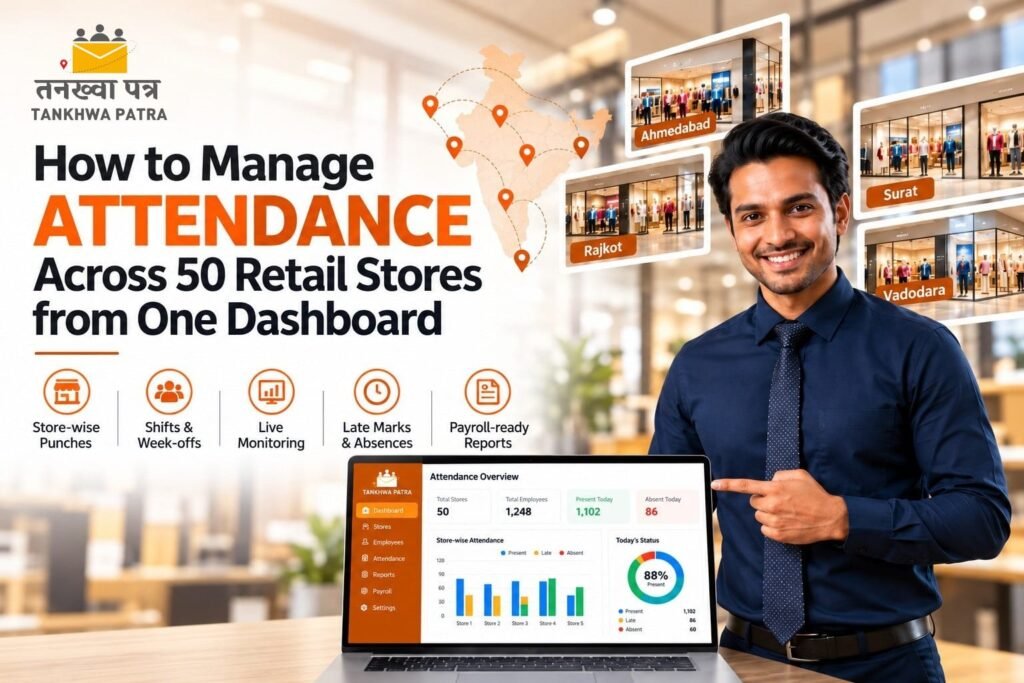
Quick answer: To manage attendance across 50 retail stores, capture every punch in one system, tag each employee to a store and shift, apply common leave, week-off and holiday rules centrally, and review a live dashboard each morning for absences, late marks and missed punches. A multi-store HRMS such as Tankhwa Patra HRMS brings biometric, face-recognition and app attendance into one view, applies shift and overtime policies, and sends the same data to payroll.
It is 10:30 on a Saturday in Ahmedabad, and the HR head of a retail chain with 50 stores across Gujarat gets a call from the regional manager. A showroom in Surat opened late because the shift supervisor was absent and nobody knew. Two stores in Rajkot have not sent last week’s attendance. A store in Vadodara shows five people on paper, but only three were on the floor. The HR team spends the next two hours calling store managers, and the month-end payroll is still ten days away.
This guide is for retail owners, HR heads, operations and area managers, and payroll teams running chains of stores, showrooms, supermarkets and franchise outlets in Gujarat and across India. It explains what a single attendance dashboard should show, why multi-store attendance breaks, how Tankhwa Patra HRMS helps, how to set up 50 stores, what to check each morning, a comparison table, a 7-step routine, a 9-point buyer checklist, common mistakes and which plan to look at.
Please note: Shops and establishments rules, working hours, overtime, weekly offs, PF, ESIC and professional tax requirements vary by state and change over time. This guide does not state any rates, limits or due dates, and it is not legal or tax advice. Verify the details with the latest government notification or a qualified CA, labour-law consultant or payroll professional before you finalise policies or pay salaries.
What should a one-dashboard attendance system show?
A good attendance dashboard answers six questions before the store opens: who is in, who is late, who is absent, which store is short-staffed, which punches are missing and who is on overtime. If it cannot answer these at a glance across all 50 stores, it is just a report, not a dashboard.
- Who is in: live headcount by store, region and shift.
- Who is late or absent: late marks and absences flagged by store, so managers act the same day.
- Which store is short-staffed: present headcount against the roster, shown store by store.
- Which punches are missing: missed in or out punches, so they can be corrected before payroll.
- Who is on overtime: extra hours waiting for approval, not discovered at month-end.
- Leave and week-offs: approved leave and week-offs shown against attendance, so planned absence is not mistaken for no-show.
Teams that work across stores, such as area managers, visual merchandisers or trainers, also need visit tracking. Expense claims, asset records for uniforms and ID cards, and visitor entries are separate modules, so check what your plan covers.
Why does attendance break across multiple stores?
Attendance breaks across multiple stores because each store manager records it in their own way, data reaches HR late, and nobody sees the whole chain at once. With 50 stores, even a small error in each one becomes a big reconciliation job.
- Different formats in every store: one store uses a register, another an Excel sheet, a third a WhatsApp message.
- Late submissions: HR chases managers for sheets in the last week of the month.
- Missed and manual punches: forgotten punches are corrected by phone, and nobody can check them.
- No live view: a late or empty shift is discovered after the customers have already walked past.
- Staff moving between stores: a salesperson covering another store is counted at neither, or at both.
- Rotating week-offs and part-timers: retail rosters change weekly, and festive seasons add temporary staff.
- Proxy attendance: with a shared register, nobody can confirm who was actually on the floor.
Illustrative example (not real data): A store has a rotating roster in which a sales associate is off on Tuesday. The store manager sends a sheet that marks the associate absent on Tuesday and present on Wednesday, and the regional manager’s WhatsApp message says the associate covered another store on Wednesday. HR sees one absence, one missing punch and one disputed day. With a roster, a store tag and a punch for each day, the same situation is visible without a phone call.
How does Tankhwa Patra HRMS help manage multi-store attendance?
Tankhwa Patra HRMS brings attendance, shifts, leave, overtime and payroll into one system. Staff punch through biometric devices, face-recognition devices or the app, shift and week-off policies are applied centrally, and live attendance monitoring, one-click reports and HR analytics give HR and operations a view of all stores. Features below are listed on tankhwapatra.com/features-of-hrms-software; some depend on your plan.
| Multi-store pain point | Tankhwa Patra feature | What changes |
| Attendance in different formats | Biometric and device integration; web and app punch-in/out | Punches from every store land in one system |
| Weak network in some stores | Offline machine data upload (Excel/USB) | Device data can be added even when live sync is not possible |
| Proxy and buddy punching | TP Face biometric devices; face recognition | Identity checks make a punch more reliable |
| Rotating rosters | Multiple and rotational shifts; shift roster creation | Each employee’s shift is assigned in the system |
| Different week-offs and state holidays | Week-off policies; multiple holiday calendars | Each store’s pattern is applied by policy |
| Leave not matching attendance | Leave-attendance sync | Approved leave shows in attendance and paid days |
| Festive overtime | Policy-based overtime rules, approvals and automated calculation | Approved hours are calculated before payroll |
| No live view of all stores | Live attendance monitoring; one-click reports; HR analytics | HR and operations see who is in, store by store |
| Staff covering other stores | Visit management | Visits and store coverage are recorded instead of remembered |
| Location checks for app punches | Live GPS tracking and geo-fencing (paid add-on) | Punches from outside a defined area can be flagged |
| Salary slips for hundreds of staff | Automated salary processing; automatic salary slip generation | Slips come from bulk processing after verification |
| Staff asking HR about attendance | Employee ESS app | Staff view attendance, leave and payslips on their phone |
| Statutory reports | PF, ESIC and PT compliance reports | Reports are generated from payroll data |
For store-wise or region-wise access for store managers and area managers, missed-punch correction and approval workflows, store-wise payroll cost reports and any POS or roster-tool integration, confirm with the Tankhwa Patra team before you decide. These depend on your setup and plan.
How do you set up attendance for 50 stores?
Set up the structure first, then the rules, then the devices. Create the store hierarchy, assign employees and managers to stores, define shifts and week-offs once, choose a punch method per store type, and agree who reviews exceptions each day.
Store and reporting structure
List all 50 stores with city, state and opening hours. Group them into regions or clusters, and assign each employee to a home store. Decide who sees what: a store manager sees their own team, an area manager sees their cluster, and HR and the owner see everything. Ask the Tankhwa Patra team how store-wise and region-wise access is configured in your plan.
Shifts and rosters
Most retail stores run a general shift, a morning and evening split, or rotating shifts. Define each shift with timing, grace period and break, create roster patterns, and assign employees. Festive-season and part-time staff can be added in bulk and given temporary rosters.
Week-offs and holidays
Retail week-offs often rotate, and state holidays differ across cities. Set week-off policies by store or group, and attach the right holiday calendar to each state. Shops and establishments rules differ by state, so confirm what applies in each location.
Choosing the punch method by store type
Big stores and malls with a fixed staff entrance can use biometric or face-recognition devices. Small outlets with weak networks can use an offline device and upload data in batches. Franchise outlets and staff who move between stores can use app punch-in, with the paid geo-fencing add-on if you need location checks. Pick one method per store type, so training stays simple.
Approvals and exceptions
Decide who approves overtime, who corrects a missed punch and by what date each month. A cut-off date that every store knows prevents the last-week scramble.
What should you check on the dashboard every morning?
Check a short list each morning, sorted by store, and act on exceptions the same day. A 10-minute routine at 10:30 prevents a month-end reconciliation that takes days.
| Check | What to look for | Action |
| Live headcount | Stores below their rostered strength | Call the store manager, arrange cover |
| Late marks | Repeat late arrivals by person or store | Discuss with the manager, review the roster |
| Absences | Absent without approved leave | Confirm with the manager, mark leave if applicable |
| Missed punches | Employees with an in but no out, or vice versa | Ask the manager to correct before the cut-off |
| Overtime waiting approval | Extra hours not yet approved | Approve or reject before payroll closes |
| Leave and week-offs | Planned absences against attendance | Check that coverage exists |
| Device status | Stores with no punches at all | Check the device or network, use offline upload |
One dashboard vs Excel and WhatsApp: what is the difference?
Excel and WhatsApp hold whatever each store sends, while a dashboard shows time-stamped punches from every store in one place. Spreadsheets work for a handful of stores, but they strain once you reach 50 stores, rotating rosters and part-time staff.
| Area | Excel and WhatsApp | Tankhwa Patra HRMS |
| Attendance source | Registers, sheets and messages | Biometric, face, app and offline device data in one system |
| Live view | End-of-week or end-of-month | Live attendance monitoring |
| Proof of presence | Store manager’s word | Biometric or face punch; location checks with the GPS add-on |
| Rosters | Updated by hand per store | Multiple and rotational shifts assigned in the system |
| Week-offs and holidays | Marked manually | Week-off policies and holiday calendars |
| Missing punches | Found at month-end | Visible in reports before payroll |
| Overtime | Verbal or in a message | Policy-based rules with approvals and automated calculation |
| Staff covering stores | Counted at neither or both | Visit management and store tags |
| Reports | Built by hand | One-click reports and HR analytics |
| Worker access | Asking the manager | Attendance, leave and payslips in the ESS app |
| Best for | A few stores, one shift | Chains with many stores, rotating rosters and part-timers |
What does a daily and monthly attendance routine look like?
A good routine splits the work between a quick daily check and a structured monthly close. Every step uses the same records, so nothing is retyped between the store and payroll.
- Capture attendance at every store. Staff punch through biometric, face or app. Stores with weak networks upload offline device data.
- Apply rosters and week-offs. Assign each employee’s shift and the right week-off policy and holiday calendar.
- Review the dashboard each morning. Check headcount, late marks, absences and device status.
- Fix exceptions the same day. Managers correct missed punches and confirm absences before the cut-off.
- Approve overtime and leave weekly. Do not leave approvals for the last day of the month.
- Close the month on a fixed date. Lock attendance after the cut-off and run a final exception report.
- Process payroll and share slips. Run bulk salary processing, verify store by store and share slips through the ESS app.
How do you choose an attendance system for a retail chain?
Choose a system that gives one live view of all stores, handles rotating rosters and part-timers, works in stores with weak networks and feeds payroll without retyping. Test it with one real week of attendance from five stores before you commit.
9-point buyer checklist
- Live multi-store view. Shows attendance by store, region and shift in real time.
- Flexible punch methods. Supports biometric, face recognition and app punches.
- Offline option. Accepts device data when a store has no reliable network.
- Roster and shift handling. Supports rotating shifts, part-timers and temporary staff.
- Week-offs and holidays. Applies different patterns and state calendars.
- Overtime with approvals. Calculates approved hours by policy before payroll.
- Role-based access. Lets store managers, area managers and HR see the right data; ask how it works.
- Payroll and reports. Processes salaries in bulk and generates PF, ESIC and PT reports.
- Clear answers on gaps. Gives direct answers on POS or roster-tool integration, store-wise cost reports and missed-punch workflows; for Tankhwa Patra HRMS, confirm these with the Tankhwa Patra team.
Before a demo, list your stores by type, the number of part-timers, your current punch method in each store and your approval cut-off dates, so you can test real scenarios instead of a generic walkthrough.
What mistakes should retail chains avoid with multi-store attendance?
The biggest mistakes are letting each store keep its own method, installing devices without a process, ignoring part-timers and leaving corrections to the month-end. A dashboard only helps if someone reads it every morning and every store follows the same cut-off.
- Moving to software but still accepting register photos from some stores.
- Buying devices for every store without a plan for network, power and training.
- Not assigning one owner per cluster to review the dashboard daily.
- Leaving missed punches and approvals to the last week of the month.
- Forgetting part-time and festive staff, so their hours go unrecorded.
- Applying one holiday calendar to stores in different states.
- Using location tracking without telling staff what is tracked and why.
- Assuming the software files returns or replaces a labour-law review. Reports help you prepare; confirm filings with your CA or consultant.
Which Tankhwa Patra plan suits a retail chain?
Tankhwa Patra offers three plans, Dreamer, Performer and Achiever, with higher plans adding more modules. Check current pricing on tankhwapatra.com/pricing and match the plan to what your chain needs: attendance, shifts, overtime and payroll for every store, plus modules such as visit management, onboarding, off-boarding or asset management.
Live GPS tracking and geo-fencing is a paid add-on, useful for staff who move between stores. Some features depend on the plan, so ask the Tankhwa Patra team which plan covers your headcount, number of stores and must-have modules.
What do retail owners and HR heads ask about multi-store attendance?
How do you manage attendance across multiple retail stores?
Record every punch in one system, tag each employee to a store and shift, apply shift, week-off and holiday rules centrally, and check a live dashboard each morning for absences, late marks and missed punches. Fix exceptions daily, so month-end payroll is only a final check.
Can one dashboard show attendance for all 50 stores?
Yes, in principle. Tankhwa Patra lists live attendance monitoring, one-click reports and HR analytics. Confirm with the team how store-wise and region-wise views and access are set up in your plan.
What if some stores have no internet?
Use a biometric device that stores punches and upload the data later. Tankhwa Patra lists offline machine data upload through Excel or USB, so stores with weak connectivity can still be added to the same system.
How do you handle rotating week-offs and part-time staff?
Create each shift and week-off policy once, assign employees to a roster, and add part-time or festive staff in bulk with temporary rosters. With multiple shifts and week-off policies in the same system, rotating offs are counted correctly.
How do you stop proxy attendance in stores?
Use a punch method that proves identity, such as biometric or face-recognition devices, and location checks for app punches where needed. Pair these with an occasional headcount by an area manager.
Can staff who cover other stores be tracked?
Tankhwa Patra lists visit management and an optional GPS and geo-fencing add-on. Confirm with the team how store coverage and transfers are recorded and shown in reports for your plan.
How is overtime handled during festive seasons?
Record extra hours through punches, have a manager approve them against a written policy, then calculate pay by the rate your policy and the applicable state rules set. Rules vary by state, so verify them with your CA or consultant. Tankhwa Patra supports policy-based overtime rules, approvals and automated calculation.
Does the software file PF and ESIC returns?
Tankhwa Patra lists PF, ESIC and PT compliance reports among its features. These reports help HR teams prepare statutory work, but you should confirm filings and current rules with a qualified CA or payroll professional.
Conclusion
Registers, Excel sheets and WhatsApp can work for a few stores, but they break once you have dozens of stores, rotating rosters, part-timers and festive-season overtime. Every re-typed sheet is another chance for a wrong paid-day count or a disputed absence, and every late discovery costs a store its customers.
A central HRMS gives owners, HR and area managers one live view of attendance, one set of rules and one payroll run across every store. Use the 9-point checklist during a demo and test it with a real week of data from five stores.
Book a Free Demo or Start a Free Trial of Tankhwa Patra HRMS at tankhwapatra.com.
Call: +91 70418 01390 | +91 89809 38940Disclaimer: The information provided is for general informational purposes only. It may vary over time, so we recommend verifying the details independently before making any decisions.
