
Best HRMS for IT and SaaS Startups in India (2026)
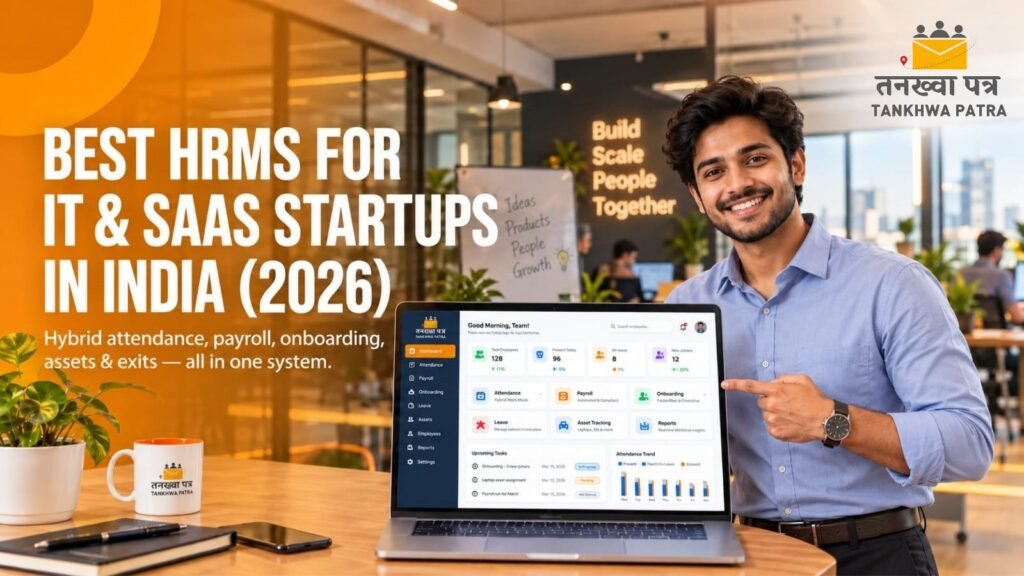
Quick answer: The best HRMS for an IT or SaaS startup is one that handles hybrid attendance, leave, payroll, onboarding, expenses, laptop and asset tracking and exits in one system, and is simple enough to run without a large HR team. Tankhwa Patra HRMS covers these with app and device attendance, leave and payroll, onboarding and off-boarding, expense management, asset management, an employee app and PF, ESIC and PT reports. Confirm integrations, tax and document needs with the team.
It is the 25th, and the founder of a 40-person SaaS startup in Ahmedabad is also its acting HR manager. Half the team works from home on any given day. Leave requests come on Slack, three new engineers joined this month, one is serving notice with a company laptop at home, and payroll still lives in a spreadsheet that only one person understands. The founder opens the sheet at midnight, fixes two mistakes and hopes there are no more.
This guide is for founders, HR and operations leads, finance heads and people managers at IT services companies, product companies and SaaS startups in Gujarat and across India. It explains what a startup needs from an HRMS, why spreadsheets stop working as a team grows, how Tankhwa Patra HRMS helps, how to handle hybrid attendance, onboarding and exits, a scorecard you can use to compare any HRMS, a 7-step rollout, a 10-point checklist, common mistakes and which plan to look at.
Please note: PF, ESIC, professional tax, TDS, leave and working-hour rules vary by state and change over time. This guide does not state any rates, limits or due dates, and it is not legal or tax advice. Features and pricing change, so verify them on the Tankhwa Patra website and with the team before you buy, and verify statutory details with a qualified CA or payroll professional.
What does an IT or SaaS startup need from an HRMS?
An IT or SaaS startup needs an HRMS that handles a hybrid team without a big HR department: attendance wherever people work, leave, payroll and statutory reports, smooth onboarding and exits, and a record of who holds which laptop. It should be quick to set up and easy for employees to use.
- Hybrid and remote attendance: punch-in from a phone or laptop, with a clear work-from-home policy.
- Leave and holidays: flexible leave types and holiday calendars, with approvals that sit where people already work.
- Payroll and slips: monthly salary processing, loans or advances, and automatic salary slips.
- Statutory reports: PF, ESIC and PT reports generated from payroll data.
- Onboarding and off-boarding: a repeatable process for joiners and leavers, including notice period and final settlement tracking.
- Expenses and reimbursements: claims for travel, internet, client visits and tools, with approvals.
- Asset tracking: laptops, monitors, access cards and other equipment issued and returned.
- Employee self-service app: payslips, leave, attendance and documents on a phone.
- Reports and analytics: headcount, attrition and attendance trends for founders and finance.
Some startups also need performance reviews, applicant tracking, learning modules or integrations with tools such as Slack and project trackers. Check what your plan covers and ask about integrations before you decide.
Why do spreadsheets stop working as a startup grows?
Spreadsheets stop working because the team grows faster than the process. Each new hire, leave rule, remote worker and exit adds rows, formulas and manual steps, and one person ends up as the only one who understands the sheet. Mistakes grow quietly until they reach a salary slip.
- Attendance by trust: remote and hybrid days are noted in chat messages, and nobody can reconcile them at month-end.
- Leave in chat threads: requests live in Slack or WhatsApp, so balances drift from the sheet.
- Payroll on a single sheet: one person owns the formulas, and a typo flows straight to pay.
- Manual onboarding: documents, joining dates and bank details arrive by email and are re-typed.
- Laptops untracked: nobody remembers which laptop went to whom until an employee leaves.
- Exit confusion: notice period, pending leave and recoveries are worked out by hand.
- Founder as HR: time that should go to product and customers goes to month-end fixes.
Illustrative example (not real data): A startup grows from 25 to 40 people in six months, adds a second city and moves to a hybrid week. The leave sheet has two versions, an engineer who left in March still appears in the payroll sheet, and a laptop issued in January has no record. Fixing these takes the founder most of a weekend. A single system with onboarding, leave, payroll and asset records removes the weekend work.
How does Tankhwa Patra HRMS help IT and SaaS startups?
Tankhwa Patra HRMS brings attendance, leave, payroll, onboarding, expenses and assets into one system, and gives employees an app for payslips, leave and attendance. Features below are listed on tankhwapatra.com/features-of-hrms-software; some depend on your plan.
| Startup need | Tankhwa Patra feature | What changes |
| Hybrid and remote attendance | Web and app punch-in/out | People mark attendance from wherever they work |
| Office attendance | Biometric and device integration; TP Face devices | Office punches and app punches sit in one record |
| Location checks for field or client visits | Live GPS tracking and geo-fencing (paid add-on); visit management | Optional location checks and visit records where you need them |
| Flexible leave | Leave policies; leave-attendance sync; multiple holiday calendars | Leave and attendance match, and holidays differ by city |
| Flexible work hours | Multiple and flexible shifts | Different teams can follow different timings |
| Payroll | Automated salary processing; automatic salary slip generation | Slips come from bulk processing after verification |
| Advances and loans | Loan and advance management | Recoveries are tracked against payroll |
| Statutory reports | PF, ESIC and PT compliance reports | Reports are generated from payroll data |
| Joiners and leavers | Employee onboarding and off-boarding | A repeatable process replaces email threads |
| Laptops and equipment | Asset management | Items issued to employees are tracked until return |
| Reimbursements | Expense and reimbursement management | Claims are submitted with proof and approved before payout |
| Employee queries | Employee ESS app | Payslips, leave and attendance on the phone |
| Founder and finance visibility | Live attendance monitoring; one-click reports; HR analytics | Headcount and attendance trends are visible without a sheet |
For integrations with Slack, project trackers or accounting tools, TDS and Form 16, investment declarations, offer and appointment letter generation, performance reviews and applicant tracking, confirm with the Tankhwa Patra team before you decide. These depend on your setup and plan.
How should a startup manage hybrid and remote attendance?
Pick a simple rule and apply it the same way for everyone. Define which days are in-office, how people mark attendance when remote, and what counts as a full day, then record it in one system so leave, payroll and reports use the same data.
- Write the policy first. Decide the in-office days, remote days, core hours and how exceptions are approved.
- Use app punch-in for remote days. Employees mark attendance from a phone or the web, and office staff can use a biometric or face-recognition device.
- Be careful with location tracking. Geo-fencing can flag punches from outside a defined area, but it is a paid add-on in Tankhwa Patra and raises privacy questions for knowledge workers. Use it only where it is needed, such as client-site or field roles, and tell people what is tracked and why.
- Focus on outcomes for knowledge roles. Attendance records support leave and payroll, but sprint goals and deliverables measure real work.
- Review exceptions weekly. Missed punches and unapproved remote days are easier to fix in the same week than at month-end.
How do you handle onboarding, leave and exits as a startup?
Turn each into a short checklist inside the HRMS. A repeatable process saves founders hours and makes the company look organised to new joiners, auditors and investors.
Onboarding
Collect personal details, bank details, joining date and documents in one place, add the employee to payroll and leave policy, and assign laptop and access items as assets. Tankhwa Patra lists employee onboarding, and you can add employees one by one or in bulk.
Leave
Define leave types, balances and holiday calendars once. Let employees apply from the app, let managers approve, and let leave flow into attendance and paid days automatically.
Exits
Record the resignation date, notice period, pending leave and loan or advance recoveries, and track the return of laptops and other assets before the final settlement. Tankhwa Patra lists off-boarding and asset management. Ask the team how full and final settlement is calculated and shown in your plan.
What should payroll and compliance look like for a startup?
Payroll for a startup should be repeatable and checked: attendance and leave are final, salary components are set, loans and reimbursements are applied, and statutory reports come from the same run. The aim is that anyone in finance or HR can run it without relying on one person.
- Fix the salary structure. Keep components and rules in the system, not in a formula only one person knows.
- Close attendance and leave first. Payroll is only as accurate as the data that feeds it.
- Apply advances and reimbursements. Approved items flow into the run, with recoveries tracked.
- Run bulk processing and verify. Check exceptions before slips go out.
- Generate statutory reports. Tankhwa Patra lists PF, ESIC and PT compliance reports. Confirm filings and deadlines with your CA, and ask the team about TDS, Form 16 and investment declarations, which are not covered here.
How can you compare any HRMS? A scorecard for startups
Score every option you consider on the same ten points, from 1 to 5, and compare the totals. Test each one with your real data: your leave rules, your last month’s payroll and your hybrid policy.
| Criterion | Why it matters for a startup | Question to ask the vendor |
| Setup speed | You have no HR team to run a long project | How many days from sign-up to first payroll? |
| Hybrid attendance | Half the team is remote on any day | How do remote employees mark attendance? |
| Leave and holidays | Policies change as you grow | Can I create custom leave types and city calendars? |
| Payroll accuracy | Errors reach salary slips | Can I run a test month with last month’s data? |
| Statutory reports | PF, ESIC and PT are unavoidable | Which reports come from the payroll run? |
| Onboarding and exits | You hire and lose people fast | What does the joiner and leaver process look like? |
| Asset tracking | Laptops are your biggest equipment cost | Can I record and recover issued assets? |
| Employee app | Founders should not answer every HR query | What can employees do in the app? |
| Integrations | Your tools are already in use | Which tools connect, and is there an API? |
| Price and support | Costs scale with headcount | What does each plan include, and what costs extra? |
Spreadsheets vs a startup HRMS: what is the difference?
A spreadsheet holds whatever someone types in, while an HRMS holds a time-stamped record linked to a person, a policy and a payroll run. Spreadsheets work for a team of five to ten, but they strain once you have hybrid work, leave policies and exits.
| Area | Spreadsheets and chat | Tankhwa Patra HRMS |
| Attendance | Trust and chat messages | App, device and web attendance in one system |
| Leave | Threads and a separate sheet | Leave policies with approvals linked to attendance |
| Payroll | One person’s formulas | Automated salary processing and slips |
| Statutory reports | Compiled by hand | PF, ESIC and PT reports from payroll data |
| Onboarding | Email attachments | Employee onboarding and bulk upload |
| Exits | Worked out manually | Off-boarding and recovery tracking |
| Laptops and assets | Memory or a note | Asset management |
| Reimbursements | Receipts by email | Expense and reimbursement management |
| Employee access | Asking HR or the founder | Payslips, leave and attendance in the ESS app |
| Reports | Built when someone has time | One-click reports and HR analytics |
| Best for | Teams of five to ten | Growing teams that need repeatable processes |
What does a 7-step rollout look like?
Roll out in small steps so the team adopts it without a big project. Each step is short, and the last step is a parallel run, so you can trust the numbers before you switch fully.
- List your policies. Write down leave types, holidays, work-from-home rules, notice periods and salary structure.
- Import employees. Add everyone individually or in bulk with the correct joining dates and bank details.
- Set attendance and leave rules. Configure shifts, flexible hours and leave policies for each team or city.
- Configure payroll. Set salary components, advances and reimbursements, and test with last month’s data.
- Add assets. Record laptops and equipment against each employee.
- Train employees on the app. Show attendance, leave, payslips and claims in a 20-minute session.
- Run one month in parallel. Compare the system’s payroll with your sheet, fix differences and switch over.
How do you choose an HRMS for a startup?
Choose the HRMS that you can set up in days, that your team will actually use and that grows with you for the next two to three years. Test it with your real policies before you commit.
10-point checklist
- Quick setup. Can go live without a long implementation.
- Hybrid attendance. Supports app, web and office device punches.
- Flexible leave. Handles custom leave types and city holiday calendars.
- Accurate payroll. Lets you test a real month before going live.
- Statutory reports. Generates PF, ESIC and PT reports.
- Onboarding and exits. Covers joiners, leavers and recoveries.
- Asset tracking. Records laptops and equipment issued and returned.
- Expenses. Handles reimbursements with proof and approvals.
- Employee app. Gives staff leave, attendance and payslips on their phone.
- Clear answers on gaps. Gives direct answers on integrations, TDS and Form 16, document generation and performance reviews; for Tankhwa Patra HRMS, confirm these with the Tankhwa Patra team.
Before a demo, list your headcount, your cities, your leave and work-from-home rules and your last month’s payroll, so you can test real scenarios instead of a generic walkthrough.
What mistakes should startups avoid when choosing an HRMS?
The biggest mistakes are buying for a size you may never reach, skipping a parallel run, ignoring exits and assets, and leaving policies undefined. An HRMS helps only when your rules are written down first.
- Choosing an enterprise tool with long implementation and features you will not use.
- Going live without a parallel payroll run.
- Leaving leave, work-from-home and notice-period rules undefined.
- Not recording laptops until someone resigns.
- Using location tracking on knowledge workers without a clear policy.
- Keeping a shadow spreadsheet after the switch.
- Assuming the software files returns or replaces a CA. Reports help you prepare; confirm filings with a professional.
- Forgetting to train employees, so every query still reaches the founder.
Which Tankhwa Patra plan suits an IT or SaaS startup?
Tankhwa Patra offers three plans, Dreamer, Performer and Achiever, with higher plans adding more modules. Check current pricing on tankhwapatra.com/pricing and match the plan to what your team needs today: attendance, leave and payroll first, then modules such as onboarding, off-boarding, expense management or asset management as you grow.
Live GPS tracking and geo-fencing is a paid add-on, useful only for staff who work at client sites or in the field. Some features depend on the plan, so ask the Tankhwa Patra team which plan covers your headcount and must-have modules.
What do founders and HR leads ask about HRMS for startups?
Which is the best HRMS for IT and SaaS startups in India?
The best HRMS is the one that handles hybrid attendance, leave, payroll, onboarding, expenses, assets and exits without needing a large HR team. Use the scorecard in this guide, and test any option with your real policies and one month of payroll data before you decide.
How do you manage attendance for a hybrid team?
Write a clear policy for in-office and remote days, let employees mark attendance by app or web, and use device punches in the office. Review exceptions weekly. Use location checks only where the role needs them, and tell the team what is tracked.
Can an HRMS track laptops and company assets?
Tankhwa Patra lists asset management, so you can record items issued to employees and track them until return. Ask the team how asset recovery appears in the exit and final settlement process in your plan.
Does Tankhwa Patra HRMS integrate with Slack or other tools?
Confirm with the Tankhwa Patra team. Integrations differ by plan and setup, and this guide does not list any, so check your must-have tools before you decide.
Can we run payroll without a dedicated HR person?
Yes, in principle. A repeatable setup with fixed policies, automated salary processing and verified slips lets a founder or finance lead run payroll without relying on one person. Keep your CA involved for statutory and tax matters.
How do you handle full and final settlement for a startup?
Record the notice period, pending leave, loans and asset returns, then calculate the settlement as your policy and the applicable rules require. Tankhwa Patra lists off-boarding and loan and advance management. Confirm with the team how the final settlement is calculated and shown in your plan, and verify the rules with your CA.
Does the software file PF and ESIC returns?
Tankhwa Patra lists PF, ESIC and PT compliance reports among its features. These reports help HR teams prepare statutory work, but you should confirm filings and current rules with a qualified CA or payroll professional.
Conclusion
Spreadsheets and chat threads can carry a small team, but they break once you add hybrid work, leave rules, laptops and exits. Every manual fix takes a founder’s time away from the product, and every error lands on someone’s salary slip.
A single HRMS gives founders, finance and employees one set of records, one set of rules and one payroll run. Use the scorecard and the 10-point checklist during a demo, and test it with your real policies and last month’s payroll.
Book a Free Demo or Start a Free Trial of Tankhwa Patra HRMS at tankhwapatra.com.
Call: +91 70418 01390 | +91 89809 38940
Disclaimer: The information provided is for general informational purposes only. It may vary over time, so we recommend verifying the details independently before making any decisions.
