
Best HRMS for Hotels and Hospitality Industry in India 2026: Mistakes to Avoid Before You Choose
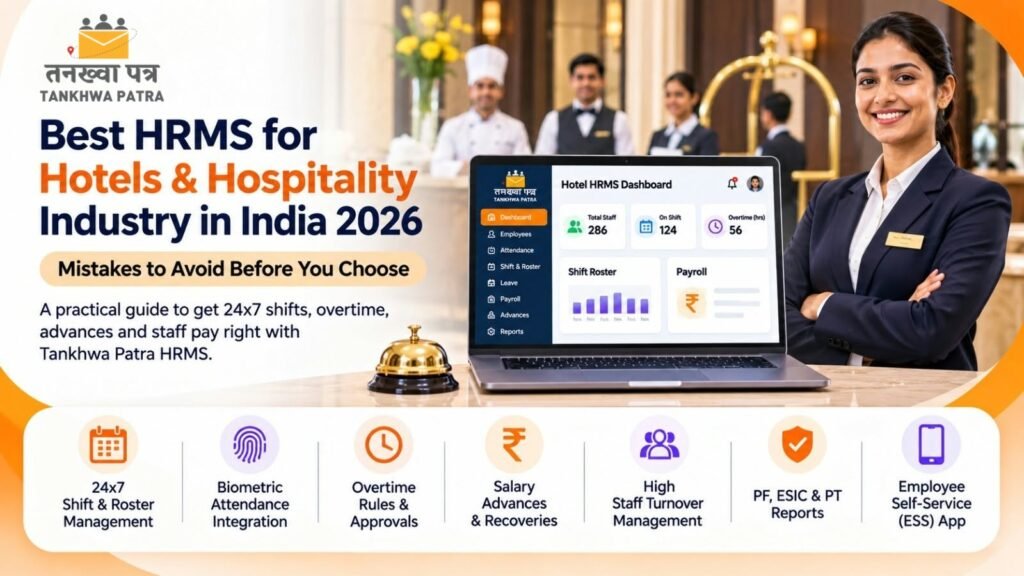
The costly mistakes hotels make when picking HR and payroll software, and how to get 24×7 shifts, overtime and staff pay right instead.
Quick answer: Hotels lose payroll accuracy when 24×7 shift rosters, banquet overtime, advances and high staff turnover are tracked in registers and Excel. The best HRMS for hotels links biometric attendance, shift and overtime rules to payroll. Tankhwa Patra HRMS does this in one system and generates salary slips and PF, ESIC and PT reports.
It is the 30th at a 120-room business hotel. The HR executive is matching the biometric report against three department rosters, but two stewards worked a double shift for a wedding banquet, a housekeeping attendant took an advance in cash, and four new kitchen helpers who joined mid-month are not in the sheet yet. By the 2nd, staff are lining up at the HR office asking why their salary does not match.
This guide is for owners, general managers, HR and accounts teams at hotels, resorts, restaurants and banquet venues across India. It covers what an HRMS for hotels does, the mistakes that make hotel payroll go wrong, how Tankhwa Patra HRMS handles shifts, overtime and payroll, a buyer checklist, a 7-step workflow and which plan to look at.
| ⚠️ Please Note PF, ESI, professional tax, labour welfare fund, overtime and working-hour rules vary by state and change over time. Service charge and tips may also have their own rules. This guide does not state statutory rates, slabs, limits or due dates and is not legal or tax advice. Verify current rules with the latest government notification or a qualified CA or payroll professional. |
| What is an HRMS for hotels and the hospitality industry? |
An HRMS for hotels and the hospitality industry is software that manages front office, housekeeping, kitchen, F&B service, maintenance, security and back-office staff in one place. It records attendance against rotating shifts, applies leave and overtime rules, runs payroll on different salary structures, generates salary slips and compliance reports, and handles frequent joining and exits.
Hospitality never closes. Front office runs round the clock, kitchens follow meal service, banquets add overtime at short notice, and peak seasons bring a wave of new joiners who may leave a few months later. A good HRMS for hotels treats the shift roster and the joining pipeline as the starting point for payroll, not as separate registers.
| What mistakes do hotels make when choosing an HRMS? |
The biggest mistakes are buying an office-first tool, ignoring overtime and advances, testing with sample data, forgetting the existing biometric machine, overlooking staff turnover, and assuming the software handles service charge or statutory filing. Each one sends HR back to Excel after go-live. Here are the seven mistakes to avoid, and what to check instead.
Mistake 1: Choosing software built for 9-to-6 offices
If the tool cannot handle night shifts, rotating week-offs and different shifts per department, the roster goes back to a spreadsheet. Check that it supports multiple shifts, week-off policies and holiday calendars.
Mistake 2: Treating overtime as an afterthought
Banquets, events and short-staffed nights create overtime every week. Without policy-based rules and an approval step, the amount on the salary slip becomes an argument. Ask the vendor to show how overtime is approved and calculated.
Mistake 3: Ignoring salary advances
Advances are common in hospitality. If they are tracked on paper, recoveries are missed or doubled. Look for loan and advance management that deducts recoveries in payroll.
Mistake 4: Forgetting your biometric machine
Most hotels already have a device at the staff entrance. Confirm that the HRMS supports biometric and device integration for your model, or accepts offline machine data through Excel or USB.
Mistake 5: Underestimating staff turnover
Seasonal hiring and frequent exits create piles of paperwork. Recruitment, offer letters, onboarding and off-boarding should be in the same system as payroll, so full and final settlements are not delayed.
Mistake 6: Assuming hospitality-specific features
Service charge or tip distribution, meal and accommodation deductions, and links to your property management or POS software are not listed on the Tankhwa Patra website. Confirm these with the Tankhwa Patra team in writing.
Mistake 7: Confusing reports with filing
An HRMS can generate PF, ESIC and PT reports from payroll data. Filing returns and legal compliance remain the employer’s responsibility, so plan this with your CA or payroll professional.
| Why does manual payroll go wrong in hotels? |
Manual payroll goes wrong in hotels because rosters, biometric punches, leave, overtime approvals and cash advances are kept by different departments in different formats. When HR merges them at month-end, double shifts are missed, approved leave is marked as absence, recoveries are forgotten, and staff receive salary slips that do not match the shifts they actually worked.
- Department rosters in separate sheets: front office, housekeeping and kitchen each keep their own version.
- Shift swaps by phone: the roster says one person, the shift had another.
- Overtime approved verbally: a banquet manager promises extra pay that never reaches HR.
- Mid-month joiners: new staff are paid late because their records are incomplete.
- Cash advances: recorded in a diary and forgotten at payroll time.
| How does Tankhwa Patra HRMS help hotels and hospitality businesses? |
Tankhwa Patra HRMS connects shifts, biometric attendance, leave, overtime, advances and payroll in one system. Shifts and week-offs are set as rules, punches come in from biometric devices or the app, overtime and leave go through approvals, and payroll runs on that verified data. Salary slips are generated automatically and staff can see them on their phones.
The table below maps common hotel HR problems to features listed on the Tankhwa Patra features page.
| Pain point | Tankhwa Patra feature | What changes |
| 24×7 shifts and rotating week-offs | Multiple shifts, week-off policies, holiday calendars | Working days counted correctly for each staff member |
| Biometric punches copied into Excel | Biometric and device integration; offline upload via Excel or USB | Punches reach payroll without retyping |
| Banquet overtime disputes | Policy-based overtime rules, approvals, automated calculation | Only approved hours are paid, under one rule |
| Cash advances in a diary | Loan and advance management | Recoveries are scheduled in payroll |
| Different pay for kitchen, F&B and front office | Custom and multiple salary structures, automatic CTC calculator | Each role keeps its own structure in one system |
| High turnover and seasonal hiring | Recruitment, offer letters, pre-boarding, onboarding, off-boarding | Joining and exits are tracked, not chased |
| Uniforms and devices not returned at exit | Asset management | Issued items are recorded against each employee |
| Unrecorded vendors at the staff entrance | Visitor gate pass | Visitor entries are recorded |
| Staff lining up at HR for payslips | Employee ESS app; Mirayo AI chatbot | Staff check payslips and leave on their phones |
| ⚠️ Please Note: confirm these before you buy Service charge or tip distribution, meal and accommodation deductions, split-shift rules, contract or agency staff management, multi-property consolidation, property management system or POS integration, face recognition, bank payment files, Form 16, TDS computation, statutory e-filing and WhatsApp payslip delivery are not listed on the Tankhwa Patra website. If you need any of them, confirm with the Tankhwa Patra team. |
| How do you choose hotel payroll software? |
Choose hotel payroll software by testing it against your real rosters, not a sample office. Check that it handles 24×7 shifts and week-offs, reads your biometric machine, applies overtime rules with approvals, manages advances, keeps separate salary structures by department, and tracks joining and exits. Use the 9-point checklist below in every demo so you compare vendors fairly.
9-point buyer checklist
- It handles multiple shifts, night shifts, rotating week-offs and holiday calendars.
- It integrates with your existing biometric device, or accepts offline data via Excel or USB.
- Department heads can see live attendance before a shift starts.
- Overtime is calculated from policy rules, with an approval step.
- Salary advances are recorded and recovered automatically in payroll.
- Front office, housekeeping, kitchen and F&B staff can each have their own salary structure.
- Recruitment, onboarding and off-boarding sit in the same system as payroll.
- It generates PF, ESIC and PT reports and keeps salary data behind role-based access.
- The vendor demos one month of your own roster and lists plans clearly on its pricing page.
| Spreadsheet vs HRMS: which works better for hotel payroll? |
A spreadsheet can work for a small guest house with a handful of staff on one shift. Once you run 24×7 departments, banquet overtime and frequent joiners, it becomes error-prone. An HRMS applies the same shift, leave and overtime rules every month and generates salary slips in bulk, so HR reviews payroll instead of rebuilding it from scratch.
| Area | Spreadsheet | HRMS |
| Shift roster | Separate sheet per department | Shift and week-off rules in one system |
| Attendance | Biometric export pasted into Excel | Device integration or offline upload |
| Overtime | Calculated by hand, often disputed | Policy rules with approvals |
| Advances | Diary or separate sheet | Recoveries adjusted in payroll |
| Joiners and exits | Paper forms chased by HR | Onboarding and off-boarding tracked |
| Salary slips | Built one at a time | Generated automatically in bulk |
| Compliance reports | Compiled manually | PF, ESIC and PT reports from payroll data |
| Staff queries | Queue at the HR office | Self-service app |
| Data access | Anyone with the file can see all salaries | Role-based security |
| What does a shift attendance to salary slip workflow look like in a hotel? |
In an HRMS, a hotel moves from roster to salary slip in seven steps. You set shift, leave and overtime rules once, staff punch in on the biometric device, department heads approve leave and extra hours during the month, and HR runs bulk payroll on data that is already checked. Here is how a typical month works for a hotel.
7-step workflow
- Set up rules: create shifts, week-off policies, holiday calendars, leave policies and overtime rules for each department.
- Set up salary structures: configure separate structures for front office, housekeeping, kitchen, F&B and management staff.
- Staff punch in: the biometric device captures attendance, or offline machine data is uploaded through Excel or USB.
- Department heads monitor: live attendance shows who has reported; heads approve leave and overtime.
- Advances and claims are recorded: advances are entered for recovery, and approved expense claims are added.
- HR runs payroll: bulk salary processing pulls in attendance, leave, overtime, approved expenses and advance recoveries, then HR verifies.
- Slips and reports go out: salary slips are generated automatically and appear in the ESS app, and PF, ESIC and PT reports are generated.
| 🧮 Illustrative example (not real data) A housekeeping attendant has a fixed monthly gross of ₹16,000. The hotel’s policy counts 30 days in the month. She had 2 days of loss of pay. Per-day salary: ₹16,000 ÷ 30 = ₹533 (rounded). Earned salary: ₹16,000 − ₹1,067 = ₹14,933. Add 8 approved banquet overtime hours at an illustrative ₹80 per hour (₹640). Total before deductions: ₹15,573. PF, ESI, professional tax and an advance recovery of ₹1,000 are then deducted under current rules and hotel policy. Per-day methods vary by employer. All figures are illustrative. |
| Result Every line on the salary slip traces back to a punch, an approval or an advance record. When a staff member asks about a deduction, HR can show the record in minutes. |
| Which Tankhwa Patra plan suits a hotel or restaurant? |
Tankhwa Patra offers three plans, Dreamer, Performer and Achiever, and higher plans add more modules. The right plan depends on whether you need only payroll, attendance and shifts, or also recruitment, onboarding, assets, performance management and a helpdesk. Compare the plans on the pricing page and confirm what each includes with the Tankhwa Patra team.
A simple way to decide before you speak to the team:
- Restaurant or small guest house: list your payroll, attendance, shift and overtime needs, then check which plan covers them.
- Full-service hotel or resort: add recruitment, onboarding, advances, asset management and compliance reports to your list.
- Growing hospitality group: if you also need performance management, a helpdesk, HR analytics or ERP integration, compare the higher plans.
See current plans on tankhwapatra.com/pricing. Some features depend on the plan, so confirm what is included in writing.
| Frequently asked questions |
1. What is the best HRMS for hotels in India?
The best HRMS for hotels in India is one that handles 24×7 shifts, rotating week-offs and banquet overtime, reads biometric attendance and feeds it straight into payroll. Look for advance management, multiple salary structures, onboarding and exits, salary slips, PF, ESIC and PT reports, and a staff app. Tankhwa Patra HRMS covers these in one system.
2. How do hotels manage staff shift scheduling and payroll together?
Hotels link the two by setting shifts, week-offs and holiday calendars as rules in an HRMS, then capturing attendance through biometric devices against those shifts. Leave and overtime go through approvals during the month. At month-end, payroll runs on the verified attendance, so night shifts and extra hours appear correctly on each salary slip.
3. How is overtime calculated for hotel staff in payroll software?
Payroll software calculates overtime from recorded punch-in and punch-out times against the shift and overtime policy you set. Approved extra hours are multiplied by the rate in your policy and added to the salary. Overtime and working-hour rules for hotels vary by state, so verify them with a qualified CA or payroll professional.
4. What should a salary slip format for hotel staff include?
A salary slip format for hotel staff, also searched as tankhwa patra in Hindi, should show employee and hotel details, pay period, days worked and loss of pay, earnings such as basic pay, HRA, allowances and overtime, approved reimbursements, deductions such as PF, ESI, professional tax and advance recovery, and the final net pay.
5. Can Tankhwa Patra distribute service charge or tips to hotel staff?
Service charge or tip distribution is not listed on the Tankhwa Patra website, so confirm with the Tankhwa Patra team. What is listed includes custom and multiple salary structures, bulk salary processing and automatic salary slips. Rules on service charge can also change, so check them with a qualified CA or payroll professional before setting a policy.
6. Does Tankhwa Patra file PF and ESIC returns for hotels?
No. Tankhwa Patra HRMS generates PF, ESIC and PT reports and audit-ready reports from your payroll data, which makes filing easier. Filing returns and staying compliant remain the employer’s responsibility. For statutory e-filing, Form 16 or TDS computation, confirm with the Tankhwa Patra team and work with your CA or payroll professional.
| Conclusion |
In a hotel, payroll is only as accurate as the roster and attendance behind it. When shifts, overtime, leave and advances follow clear rules and biometric punches flow straight into payroll, month-end becomes a review rather than a rebuild, and staff get salary slips they can trust.
Avoid the seven mistakes in this guide, demo with a real month of your roster, and confirm anything that is not listed before you sign. If you want shift attendance, overtime and payroll in one place, Tankhwa Patra HRMS is worth a demo.
Book a Free Demo or Start a Free Trial of Tankhwa Patra HRMS at tankhwapatra.com.
Call: +91 70418 01390 | +91 89809 38940
Disclaimer: The information provided is for general informational purposes only. It may vary over time, so we recommend verifying the details independently before making any decisions.
