
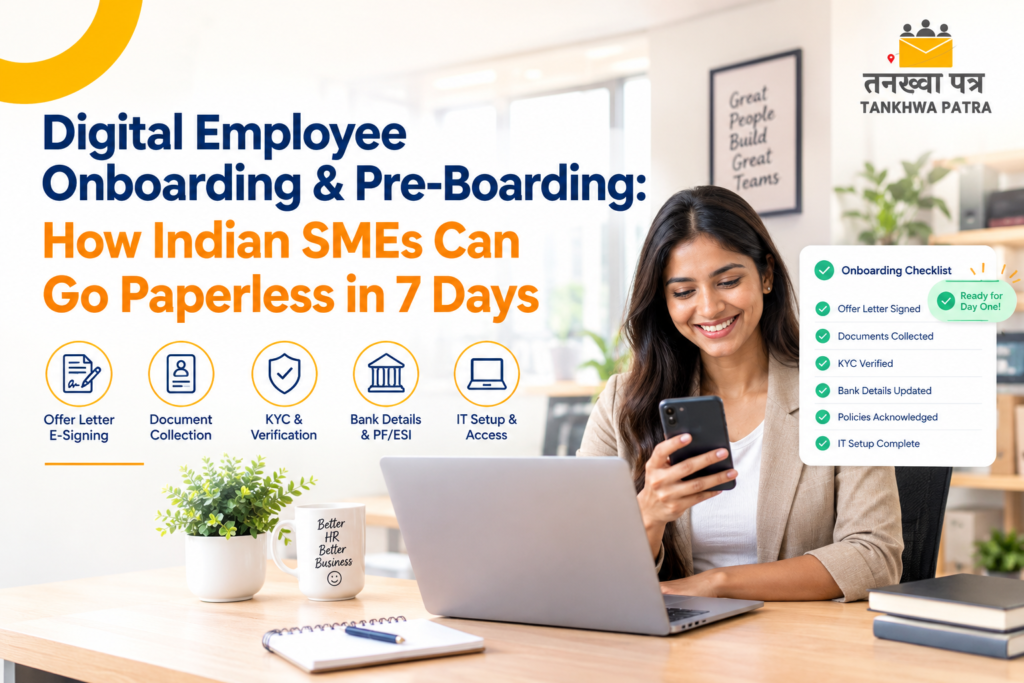
Digital Employee Onboarding & Pre-Boarding: How Indian SMEs Can Go Paperless in 7 Days
The offer is accepted. The joining date is fixed. And then the chasing begins: a blurry Aadhaar photo buried in a WhatsApp chat, a signed offer letter that arrived as a phone picture, and a cancelled cheque that is “coming tomorrow” for the third time.
If that sounds familiar, you are not alone. For many Indian SMEs, the weeks between offer acceptance and Day One are the messiest part of hiring, and the part new employees remember.
In this guide, we give you a simple day-by-day plan to go completely paperless in 7 days using digital employee onboarding and pre-boarding with hrms onboarding. It covers offer letter e-signing, document collection, KYC, bank details, policy acknowledgment and IT setup.
No technical knowledge needed. No big IT team required. Just a clear plan and a little consistency.
| What Are Digital Onboarding and Pre-Boarding? |
Pre-boarding is everything that happens between the day a candidate accepts your offer and the day they join. Onboarding starts on Day One and covers induction, training and settling in. Going digital means both happen online, so the new employee arrives ready and your HR team is not running around with files.
Think of it as your hrms software doing the joining work automatically while HR focuses on people. Here is what digital onboarding covers:
- Offer letter sent and e-signed on the employee’s phone
- Documents and KYC collected online: Aadhaar, PAN, certificates, bank details
- Policies shared and acknowledged digitally, with a dated record
- Employee details shared with IT and the reporting manager before joining
- Salary, PF and attendance set up in the hr and payroll software before Day One
| Simple Definition Pre-boarding = the paperwork is finished before the employee walks in. Onboarding = the employee feels welcome from the first hour. Digital makes both happen with zero paper. |
| Why Paper and WhatsApp Onboarding Keeps Breaking |
Paper onboarding feels normal because everyone has always done it that way. But it quietly slows down your team and your new hires. Here is how:
| The Problem | Why It Hurts Your Business |
| Chasing candidates on WhatsApp | Documents arrive in pieces, at all hours. HR spends days following up instead of preparing for the new hire. |
| Lost or unreadable documents | Photos in poor light, files buried in chat history, originals misplaced in a drawer. Audits become a nightmare. |
| Printed offer letters | Print, sign, scan, send back. One signature can take days, especially for candidates serving notice in another city. |
| Missing KYC and bank details | A wrong account number or missing PAN can hold up the first salary and start the relationship badly. |
| Policies nobody acknowledges | With no record, you cannot show that an employee read and accepted the code of conduct or leave policy. |
| Laptop and email not ready | The new hire arrives on Day One and sits idle because IT did not know they were joining. |
| 💡 Good to Know An accepted offer is not a guaranteed joining. A candidate who gets a smooth, organised pre-boarding experience feels confident about their decision. One who is chased for documents feels the opposite. |
| The 7-Day Paperless Onboarding Plan at a Glance |
Count Day 1 from the moment the candidate accepts your offer. If the joining date is close, run some steps together. If the notice period is long, spread them out. Here is the complete plan:
| Day | What You Do |
| Day 1 | Send the offer letter for e-signing from a ready template |
| Day 2 | Share one document collection link, with auto reminders |
| Day 3 | Complete KYC: verify PAN, Aadhaar and UAN details |
| Day 4 | Capture bank details, PF and ESIC details and the tax declaration |
| Day 5 | Policy acknowledgment: code of conduct, leave, POSH and NDA signed online |
| Day 6 | IT and access setup: laptop, email, app login and a buddy assigned |
| Day 7 | Day-one readiness check and welcome message |
| What Happens on Each Day — Simply Explained |
Day 1 — Send the Offer Letter for E-Signing
Pick the offer letter template for the role in your hr management software. Name, designation, CTC and joining date fill in automatically. Click send, and the candidate receives a link on their phone. They read it, sign it digitally and send it back. HR gets a timestamped record of when it was sent, opened and signed. Done in minutes instead of days.
Goal: a signed offer on record within 24 hours, with nothing printed.
Day 2 — Collect Documents Through One Link
The moment the offer is signed, the candidate receives a single document checklist instead of ten WhatsApp messages. They upload their photo, ID proofs, education certificates, previous experience letters, last payslips and relieving letter from their phone. Clear file rules keep uploads readable, and auto reminders replace your manual follow-ups.
Goal: every document in one place, inside the employee’s own digital file.
Day 3 — Complete KYC
Collect PAN and Aadhaar details and, for experienced hires, the UAN. Compare them with the uploaded documents and flag any mismatch in name or date of birth now, not at the first payroll. Record the employee’s consent for data collection in line with your privacy policy.
Goal: verified identity details, so PF, ESIC and tax setup never stall payroll.
| ⚠️ Do Not Skip This Step Wrong or missing KYC and bank details are one of the most common reasons a first salary gets delayed. A five-minute check on Day 3 and Day 4 saves HR hours later and spares the new hire an unpleasant first month. |
Day 4 — Capture Bank Details and Statutory Forms
The new hire adds their account number, IFSC and a cancelled cheque or bank proof, plus PF and ESIC details, nominations and the tax declaration, all online. The data flows straight into your hr and payroll software, so nobody re-types anything and nothing mismatches.
Goal: payroll-ready data, so the first pay-slip is accurate.
Day 5 — Policy Acknowledgment
Share the code of conduct, leave policy, attendance rules, POSH policy, IT and data-security policy and any NDA. The employee reads and accepts each one online. Every acceptance is stored with a timestamp, so you have a clean audit trail.
Goal: dated proof of who accepted what, and when.
Day 6 — IT and Access Setup
Share the new hire’s details with IT and the reporting manager from the employee profile. Prepare the laptop, official email and tool access, assign a buddy, and add the person to the right team and shift. The new employee can also register their face on the Tankhwa Patra mobile app from home, so attendance is ready before Day One.
Goal: everything is ready before the person walks in or logs on.
Day 7 — Day-One Readiness Check
Open the onboarding tracker and see what is complete and what is pending. Send a welcome message with the first-day schedule, location or login steps and a point of contact. Here is what should be ready before your new hire arrives:
- Offer letter — signed digitally
- Documents and KYC — collected and verified online
- Bank, PF, ESIC and tax details — captured and flowing into payroll
- Policies — acknowledged with a timestamp
- Attendance — registered in the hrms attendance system
- Leave balance — visible in hrms leave management
- IT setup — laptop, email and app access ready
| 🎉 The Result What used to mean chasing, printing and re-typing now happens mostly on its own. Your new hire’s first day is about meeting the team, not filling forms, and HR gets its time back. |
| Downloadable Checklist Idea |
Turn this plan into a lead magnet: a one-page PDF called “7-Day Paperless Onboarding Checklist”, available after readers share their name, work email and company size. Here is what it should contain:
- A Day 1 to Day 7 tick-box list with every task from this guide
- A new-hire document checklist: ID proofs, education, experience, bank proof
- A policy-acknowledgment tracker with policy name, version and date columns
- An IT setup list: laptop, email, tool access, buddy assigned
- A “red flags” box: signs that your onboarding is still too manual
Place the download button after the Day 7 section and again at the end of the article. HR teams love printable checklists, and every download is a warm lead for a demo.
| What Tankhwa Patra Automates in This Plan |
With Tankhwa Patra hr management software, most of the manual steps above are handled in one platform, and the data collected flows straight into payroll:
| Step | The Manual Way | With Tankhwa Patra |
| Offer letter e-signing | Print, sign, scan, resend | Templated offer letters sent as a link and signed digitally on any phone |
| Document collection | WhatsApp chasing, lost files | Online document portal with automatic reminders |
| KYC and bank details | Typing from photos, mismatched data | Details captured once and carried into payroll with no re-entry |
| PF, ESIC, PT and TDS | Manual registration and calculation | Compliance configured from salary and work location, with the tax declaration filled digitally |
| Policy acknowledgment | Paper sign-offs, no proof | Policies including POSH signed digitally and stored with a timestamp |
| Attendance and leave | Set up after joining | Face registration from the mobile app before Day One, leave balance visible from Day One |
| Bulk hiring | One employee at a time | Bulk onboarding sends letters, checklists and app access to many hires at once |
| Moving from Excel | Re-entering old data | Existing employee data migrated by the Tankhwa Patra team |
Physical steps, such as handing over a laptop, still need a person. But with the employee profile ready in advance, IT and managers know who is joining and when.
| Frequently Asked Questions (FAQ) |
1. Is an e-signed offer letter valid in India?
Generally yes. Electronic signatures are recognised under the Information Technology Act, 2000, and many employers e-sign offer and appointment letters. A few document types have exceptions, and some state Shops and Establishments registers may need a physical copy, so confirm the details with your legal advisor.
2. What is the difference between pre-boarding and onboarding?
Pre-boarding covers everything between offer acceptance and the joining date: signing the offer, submitting documents and completing forms. Onboarding starts on Day One and covers induction, training and settling in. Doing pre-boarding well makes the first day far smoother.
3. What if my employees are not comfortable with technology?
The process is designed to be as simple as WhatsApp. Employees open a link, upload a photo and tap to sign. It works on any basic Android phone. For factory or field staff with limited digital experience, the HR team can walk them through it in a few minutes.
4. Can a small business with 30 employees go paperless in a week?
Yes. Smaller teams often move faster because there are fewer approval layers. Start with the offer letter, document collection and policy acknowledgment, then add KYC, bank details and IT setup as you get comfortable.
5. Can we onboard many employees at the same time?
Yes. Bulk onboarding lets all your new hires receive offer letters, document checklists and app access together. This is especially useful for manufacturing, retail and logistics companies that hire in large batches.
| Conclusion |
Going paperless is no longer just for big companies. Any Indian business, whether a startup, factory, retail chain or IT company, can do it in 7 days with a clear plan and the right hrms software.
Digital pre-boarding means your new hire arrives on Day One with everything ready. Offer signed. Documents verified. Bank and statutory details captured. Policies accepted. Attendance set up. No chasing. No idle first morning. Just a smooth, professional start that makes your employee feel genuinely welcome.
Tankhwa Patra hrms onboarding module does all of this for businesses of any size, in any Indian city. If your onboarding still runs on paper and WhatsApp, this is the right week to change that.
Ready to Simplify Payroll & HR Operations?
Book a FREE personalized demo of Tankhwa Patra and discover how businesses are automating payroll, attendance, compliance, employee management, and workforce operations from a single integrated platform.
Call: +91 70418 01390 | +91 89809 38940
Website: www.tankhwapatra.com
Disclaimer: The information provided is for general informational purposes only. It may vary over time, so we recommend verifying the details independently before making any decisions.
