
HR Software for Agri-Processing and Food Manufacturing Companies in India: How to Choose and Set It Up
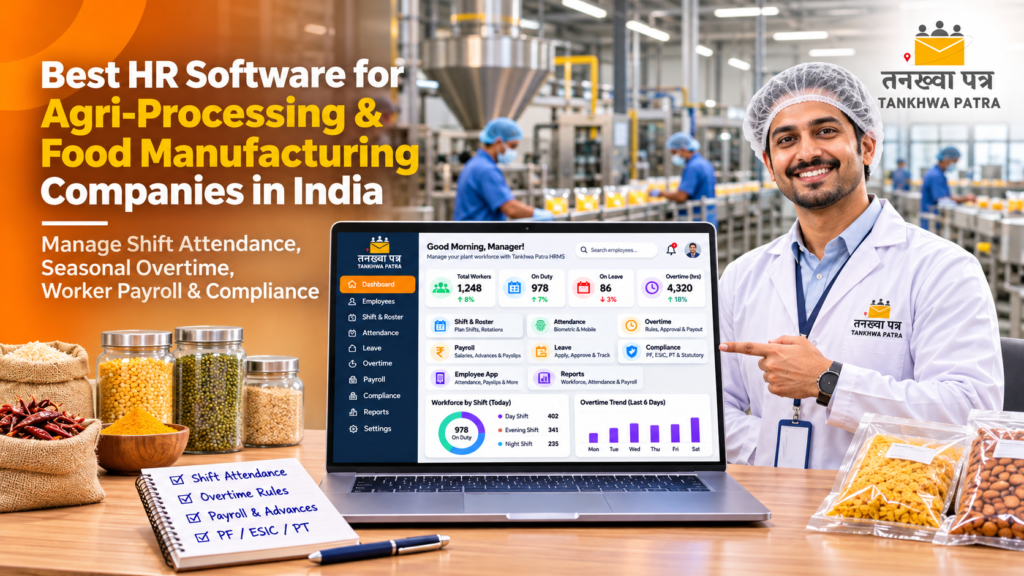
A practical how-to for plant owners and HR teams who need shift attendance, seasonal overtime and worker payroll to add up every month.
Quick answer: Agri-processing and food plants struggle with payroll when shift attendance, seasonal overtime, worker advances and high joining volumes are tracked in gate registers and Excel. The right HR software for food manufacturing links biometric attendance, shifts and overtime rules to payroll. Tankhwa Patra HRMS does this in one system and generates salary slips and PF, ESIC and PT reports.
It is the 30th at a spice and pulses processing unit in the middle of the procurement season. The HR executive is matching the gate register against the biometric report for three shifts, but 40 seasonal workers joined in two weeks, the night shift ran four extra hours to clear a truckload, and a dozen workers took cash advances from the supervisor. By the 3rd, workers are crowding the time office asking why their pay is different.
This guide is for owners, plant heads, HR and accounts teams at rice mills, dal and spice units, dairies, cold storages, edible oil plants and packaged food factories across India. It explains how to choose HR software for food manufacturing, why manual plant payroll goes wrong, how Tankhwa Patra HRMS handles shifts and overtime, a buyer checklist, a 7-step setup workflow, mistakes to avoid and which plan to look at.
| ⚠️ Please Note Minimum wages, PF, ESI, professional tax, labour welfare fund, overtime and factory working-hour rules vary by state and change over time. This guide does not state statutory rates, slabs, limits or due dates and is not legal or tax advice. Verify current rules with the latest government notification or a qualified CA or payroll professional. |
| What is HR software for agri-processing and food manufacturing companies? |
HR software for agri-processing and food manufacturing companies manages plant workers, shift supervisors, quality staff, drivers, field procurement teams and office staff in one place. It records attendance across shifts, applies leave and overtime rules, runs payroll on different salary structures, generates salary slips and compliance reports, and handles seasonal joining and exits.
Food and agri plants follow the crop calendar. Procurement season brings longer shifts, extra hands and heavy overtime, while the lean season brings exits and fewer working days. Many plants sit outside city limits with patchy internet. Good HR software for food manufacturing is set up around that rhythm, not around a fixed office week.
| What should HR software for a food plant include? |
HR software for a food plant should include biometric attendance with offline data upload, multiple shifts and week-off policies, policy-based overtime with approvals, loan and advance management, multiple salary structures, automated payroll with salary slips, PF, ESIC and PT reports, onboarding and off-boarding, and an employee app where workers can see payslips and leave.
Here is why each one matters on a plant floor:
- Biometric attendance with offline upload: plants with weak internet can still bring machine data into payroll through Excel or USB.
- Multiple shifts: day, evening and night shifts, plus rotating week-offs, are handled by rules.
- Overtime rules with approvals: season-time extra hours are approved and paid under one policy.
- Loans and advances: advances given during the season are recovered automatically.
- Onboarding and off-boarding: seasonal joiners and leavers are tracked, so final settlements are not delayed.
- Field team tools: procurement staff visiting farmers or mandis can be tracked with live GPS and visit management (GPS is a paid add-on).
| Why does manual payroll go wrong in food and agri plants? |
Manual payroll goes wrong in food and agri plants because the gate register, biometric machine, shift rosters, overtime slips and supervisor advances are all kept separately. When HR merges them at month-end, extra shift hours are missed, seasonal joiners are paid late, advances are forgotten, and workers receive salary slips that do not match the hours they actually worked.
- Gate register vs biometric: two records of the same shift that rarely match.
- Overtime on paper slips: supervisors sign slips that get lost before payroll.
- Seasonal joining rush: dozens of new workers with incomplete records.
- Cash advances from supervisors: recorded in a notebook, if at all.
- Machine data stuck at the plant: internet drops, and someone retypes punches into Excel.
| How does Tankhwa Patra HRMS help agri-processing and food manufacturing companies? |
Tankhwa Patra HRMS connects shifts, biometric attendance, leave, overtime, advances and payroll in one system. Punches come in from biometric devices or are uploaded offline, overtime goes through approvals, and advances are recovered automatically. Payroll then runs on verified data, salary slips are generated automatically, and workers can see their payslips in the employee app.
The table below maps common plant HR problems to features listed on the Tankhwa Patra features page.
| Pain point | Tankhwa Patra feature | What changes |
| Gate register and biometric never match | Biometric and device integration; live attendance monitoring | One attendance record per worker |
| Weak internet at the plant | Offline machine data upload via Excel or USB | Punches still reach payroll |
| Three shifts and rotating week-offs | Multiple shifts, week-off policies, holiday calendars | Working days counted correctly |
| Season-time overtime disputes | Policy-based overtime rules, approvals, automated calculation | Only approved hours are paid, under one rule |
| Cash advances from supervisors | Loan and advance management | Recoveries are scheduled in payroll |
| Seasonal joining and exits | Recruitment, offer letters, onboarding, off-boarding | Joiners and leavers are tracked |
| Procurement staff in the field | Live GPS tracking and geo-fencing (paid add-on), visit management | Field visits are recorded |
| PPE and uniforms not returned | Asset management | Issued items recorded per employee |
| Trucks and vendors at the plant gate | Visitor gate pass | Gate entries are recorded |
| Workers crowding the time office | Employee ESS app; Mirayo AI chatbot | Workers check payslips and leave on their phones |
| ⚠️ Please Note: confirm these before you buy Piece-rate or production-linked pay, daily-wage processing, contract labour or labour contractor management, statutory factory registers, food safety or medical fitness certificate tracking, canteen deductions, farmer payments, face recognition, bank payment files, Form 16, TDS computation, statutory e-filing and WhatsApp payslip delivery are not listed on the Tankhwa Patra website. If you need any of them, confirm with the Tankhwa Patra team. |
| How do you choose HR software for a food manufacturing plant? |
Choose HR software for a food plant by testing it against a real peak-season month. Check that it reads your biometric machine or offline data, handles three shifts and week-offs, applies overtime rules with approvals, recovers advances, and tracks seasonal joiners. Use the 9-point checklist below in every demo so you compare vendors fairly.
9-point buyer checklist
- It integrates with your biometric device, or accepts offline machine data via Excel or USB.
- It handles multiple shifts, night shifts, rotating week-offs and holiday calendars.
- Supervisors can see live attendance before a shift starts.
- Overtime is calculated from policy rules, with an approval step.
- Salary advances are recorded and recovered automatically in payroll.
- Plant workers, supervisors, field staff and office staff can each have their own salary structure.
- Seasonal joining and exits are handled through onboarding and off-boarding.
- It generates PF, ESIC and PT reports and keeps salary data behind role-based access.
- The vendor demos one peak-season month of your data and lists plans clearly on its pricing page.
| Spreadsheet vs HRMS: which works better for food plant payroll? |
A spreadsheet can work for a small unit with a few workers on one shift. Once you run three shifts, seasonal hiring and heavy overtime, it becomes slow and error-prone. An HRMS applies the same shift, leave and overtime rules every month and generates salary slips in bulk, so HR reviews payroll instead of rebuilding it from gate registers.
| Area | Spreadsheet | HRMS |
| Attendance | Gate register and biometric export typed into Excel | Device integration or offline upload |
| Shifts and week-offs | Manual formulas per shift | Shift and week-off rules in one system |
| Overtime | Paper slips, often disputed | Policy rules with approvals |
| Advances | Supervisor notebook | Recoveries adjusted in payroll |
| Seasonal joiners and exits | Paper forms chased by HR | Onboarding and off-boarding tracked |
| Salary slips | Built one at a time | Generated automatically in bulk |
| Compliance reports | Compiled manually | PF, ESIC and PT reports from payroll data |
| Worker queries | Queue at the time office | Self-service app |
| Data access | Anyone with the file can see all wages | Role-based security |
| How do you set up a shift attendance to salary slip workflow in a food plant? |
You set up the workflow in seven steps. Define shift, leave and overtime rules once, set salary structures, connect biometric devices or plan offline uploads, let supervisors approve overtime and leave during the month, then run bulk payroll on data that is already checked. Here is how a typical peak-season month works in a food plant.
7-step workflow
- Set up rules: create shifts, week-off policies, holiday calendars, leave policies and overtime rules for the plant.
- Set up salary structures: configure separate structures for plant workers, supervisors, field staff and office staff.
- Capture attendance: biometric devices record punches, or offline machine data is uploaded through Excel or USB.
- Supervisors monitor: live attendance shows who has reported; supervisors approve leave and overtime.
- Advances and claims are recorded: advances are entered for recovery, and approved expense claims are added.
- HR runs payroll: bulk salary processing pulls in attendance, leave, overtime, approved expenses and advance recoveries, then HR verifies.
- Slips and reports go out: salary slips are generated automatically and appear in the ESS app, and PF, ESIC and PT reports are generated.
| Illustrative example (not real data) A machine operator has a fixed monthly gross of ₹20,000. The plant’s policy counts 26 working days in the month. He had 1 day of loss of pay. Per-day salary: ₹20,000 ÷ 26 = ₹769 (rounded). Earned salary: ₹20,000 − ₹769 = ₹19,231. Add 15 approved season-time overtime hours at an illustrative ₹90 per hour (₹1,350). Total before deductions: ₹20,581. PF, ESI, professional tax and any advance recovery are then deducted under current rules and company policy. Per-day methods and overtime rates vary by employer and state. All figures are illustrative. |
| Result Every line on the salary slip traces back to a punch, an approval or an advance record. When a worker asks about his overtime, HR can show the record in minutes. |
| What mistakes should food and agri companies avoid when choosing HR software? |
The most common mistakes are testing in a quiet month instead of peak season, ignoring weak internet at the plant, skipping overtime and advance rules, and expecting the software to handle contract labour or statutory filing. Each one causes rework after go-live. Check the points below during the demo so the system fits how your plant actually runs.
- Demoing in the lean season: test with your busiest month, when overtime and joining peak.
- Ignoring connectivity: confirm that offline machine data can be uploaded if the plant internet drops.
- Skipping overtime policy setup: write the policy down before go-live, or disputes move into the software.
- Leaving advances outside the system: supervisor advances must be recorded for recovery.
- Migrating messy data: clean worker records, salary structures and leave balances before importing them.
- Assuming contract labour features: contractor management and piece-rate pay are not listed; confirm in writing.
- Confusing reports with filing: an HRMS can generate PF, ESIC and PT reports; filing stays with you and your CA.
| Which Tankhwa Patra plan suits a food or agri-processing company? |
Tankhwa Patra offers three plans, Dreamer, Performer and Achiever, and higher plans add more modules. Live GPS tracking for field staff is a paid add-on. The right plan depends on whether you need only payroll, attendance and shifts, or also recruitment, onboarding, assets and performance management. Compare plans on the pricing page and confirm details with the Tankhwa Patra team.
A simple way to decide before you speak to the team:
- Single small unit: list your payroll, attendance, shift and overtime needs, then check which plan covers them.
- Plant with field procurement: add advances, compliance reports, visit management and the GPS add-on to your list.
- Multi-plant or growing company: if you also need recruitment, asset management, performance management or ERP integration, compare the higher plans.
See current plans on tankhwapatra.com/pricing. Some features depend on the plan, so confirm what is included in writing.
| Frequently asked questions |
1. What is the best HR software for food manufacturing companies in India?
The best HR software for food manufacturing companies in India is one that reads biometric or offline attendance, handles multiple shifts and seasonal overtime, recovers advances and feeds everything into payroll. Look for salary slips, PF, ESIC and PT reports, onboarding and exits, and a worker app. Tankhwa Patra HRMS covers these in one system.
2. How do food plants track worker attendance across shifts?
Most food plants use biometric devices at the factory gate, linked to an HRMS where shifts and week-offs are set as rules. Each punch is matched to the worker’s shift, and supervisors see live attendance. Where internet is unreliable, machine data can be uploaded offline through Excel or USB so payroll still runs on actual punches.
3. How is overtime calculated for factory workers during peak season?
Payroll software calculates overtime from recorded punch-in and punch-out times against the shift and overtime policy you set. Approved extra hours are multiplied by the rate in your policy and added to the salary. Overtime and factory working-hour rules vary by state, so verify them with a qualified CA or payroll professional.
4. What should a salary slip format for factory workers include?
A salary slip format for factory workers, also searched as tankhwa patra in Hindi, should show employee and company details, pay period, days worked and loss of pay, earnings such as basic pay, DA, HRA, allowances and overtime, deductions such as PF, ESI, professional tax and advance recovery, and the final net pay.
5. Can Tankhwa Patra handle piece-rate pay or contract labour?
Piece-rate pay and contract labour management are not listed on the Tankhwa Patra website, so confirm with the Tankhwa Patra team. What is listed includes custom and multiple salary structures, policy-based overtime, bulk salary processing and loan and advance management. Plants that pay by output or through contractors should check this before choosing a plan.
6. Does Tankhwa Patra file PF and ESIC returns for food companies?
No. Tankhwa Patra HRMS generates PF, ESIC and PT reports and audit-ready reports from your payroll data, which makes filing easier. Filing returns and staying compliant remain the employer’s responsibility. For statutory e-filing, Form 16 or TDS computation, confirm with the Tankhwa Patra team and work with your CA or payroll professional.
| Conclusion |
In a food or agri plant, payroll is only as accurate as the shift attendance behind it. When biometric punches, overtime approvals and advances flow straight into payroll, peak season stops being a month-end crisis, and workers get salary slips they can trust.
Use the checklist in this guide to compare vendors, demo with a real peak-season month, and confirm anything that is not listed before you sign. If you want shift attendance, overtime and payroll in one place, Tankhwa Patra HRMS is worth a demo.
Book a Free Demo or Start a Free Trial of Tankhwa Patra HRMS at tankhwapatra.com.
Call: +91 70418 01390 | +91 89809 38940
Disclaimer: The information provided is for general informational purposes only. It may vary over time, so we recommend verifying the details independently before making any decisions.
