
Payroll Compliance Software vs Manual PF and ESIC Tracking: Which Is Safer?
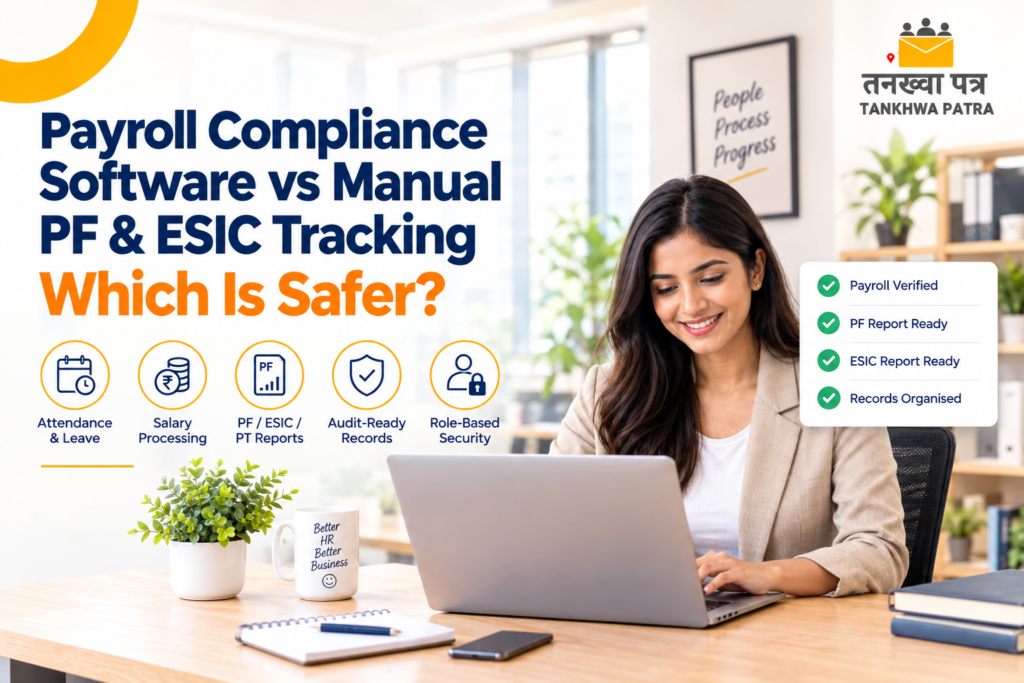
A plain-language comparison for HR and accounts managers: where spreadsheets leave gaps, what payroll compliance software can do, and what still needs a CA.
Quick answer: For most growing teams, payroll compliance software is safer than manual PF and ESIC tracking, because records stay in one place, figures are not retyped, and reports come from processed payroll data. Tankhwa Patra HRMS generates PF, ESIC and PT reports, but the rules still need verification with a CA.
It is the 28th of the month. Meera, an accounts manager in Ahmedabad, is hunting for PF and ESIC details across four Excel files, a WhatsApp folder of joining forms and last month’s attendance register. Two employees’ days do not match between attendance and salary, a new joiner is missing from one sheet, and the auditor wants last quarter’s records by tomorrow morning. Nobody is sure which file is the latest.
This is a familiar picture in payroll compliance in India, where growing teams and state-wise rules make memory-based tracking risky. This guide compares payroll compliance software with manual PF and ESIC tracking, explains what the software can and cannot do, and walks through a sample month-end workflow, a 9-point buyer checklist, common mistakes, and how the tankhwa patra (salary slip) and the reports behind it fit together.
| ⚠️ Please Note Tankhwa Patra HRMS generates PF, ESIC and PT reports. This guide does not claim that it files returns, generates challans or guarantees legal compliance. Statutory rules, rates and due dates vary by state and change over time, so verify them with the latest government notification or a qualified CA. |
| What Is Payroll Compliance Software? |
Payroll compliance software is a system that processes salaries and keeps the records and reports needed for statutory obligations such as PF, ESIC and professional tax in one place. It reduces retyping and scattered files. It supports compliance work, but it does not replace a CA’s judgement on what the rules require.
In practice, it links attendance, leave, overtime, salary structure and deductions, so the figures in your reports come from the same processed payroll. In Tankhwa Patra HRMS terms, that means automated salary processing, secure digital payroll records, PF, ESIC and PT reports, audit-ready reports, and role-based security that controls who can see what.
| Simple Definition Payroll compliance software = one place for payroll data, so reports are generated instead of assembled in a rush. Checking the rules stays with you and your CA. |
| What Does Monthly Payroll Compliance Involve? |
Each month, payroll compliance usually means calculating salaries correctly, applying the deductions your establishment is subject to, keeping supporting records, and preparing reports for PF, ESIC and professional tax. Which rules apply, and when, varies by state and changes over time, so confirm requirements with the latest government notification or your CA.
Whatever your exact obligations, a team typically needs to keep these ready:
- Attendance, shift and leave records for every employee
- Salary structures and any revisions during the year
- Overtime records with approvals
- Employee master data and joining details
- Monthly deduction summaries
- PF, ESIC and professional tax reports
- Records a reviewer or auditor may ask for, organised so they can be found quickly
| Why Does Manual PF and ESIC Tracking Go Wrong? |
Manual tracking goes wrong because the data lives in many places and gets retyped. Attendance sits in one file, salary in another, and PF or ESIC details in a third. Each copy-paste is a chance for a mismatch, and nobody notices until a report or an audit asks for the numbers.
The same three pain points show up again and again:
- Scattered records. Joining forms in chats, salary sheets in personal folders, older versions on someone’s desktop. When a question comes, finding the right file takes longer than answering it.
- Report errors. A formula broken during a copy-paste, a new joiner missing from one sheet, a resignation not removed. Small mistakes slip into PF, ESIC and professional tax reports.
- Last-minute data gathering. Reports get built in a hurry at month-end, and an audit request turns into days of digging.
| 💡 Illustrative Example An employee’s attendance shows 3 extra hours of overtime, but a copied salary sheet was not updated. At an illustrative ₹300 an hour, that is a ₹900 gap for one person in one month. Small on its own, but repeated across a team and several months, it becomes disputes, corrections and an audit scramble. (Figures are illustrative only.) |
| How Does Tankhwa Patra HRMS Help With PF, ESIC and PT Reports? |
Tankhwa Patra HRMS brings attendance, leave, overtime and salary processing into one system, and generates PF, ESIC and PT reports plus audit-ready reports from that payroll data. Records are stored as secure digital payroll records with role-based security. The software generates reports; filing and legal sign-off stay with you and your CA.
The table below maps each pain point to the Tankhwa Patra HRMS feature that addresses it. Some features depend on your plan, so confirm what is included before you decide.
| Pain Point | Tankhwa Patra HRMS Feature | What Changes |
| Scattered records | Secure digital payroll records | Payroll data sits in one system, so it is easier to find when someone asks |
| Report errors from retyping | Automated salary processing, bulk salary processing and verification | Figures come from processed payroll, and you can verify them in bulk before reports are pulled |
| Attendance and salary mismatch | Web and app punch-in/out, biometric and device integration, leave-attendance sync, payroll-ready leave tracking | Days worked and leave flow into payroll without manual copying |
| Overtime disputes | Policy-based overtime rules, approvals and automated calculation | One set of rules and approvals, with the calculation on record |
| Last-minute data gathering | PF, ESIC and PT reports, audit-ready reports, one-click attendance reports | Reports are generated from existing payroll data instead of compiled in a rush |
| Everyone can edit the sheet | Role-based security | Access follows job roles, so sensitive payroll data reaches fewer people |
| Employees chasing HR for slips | Employee ESS app with payslip access | Employees can view their own payslips and records without asking HR |
| Payroll Compliance Software vs Manual Tracking: Which Is Safer? |
For most growing teams, software is safer because it reduces retyping, keeps records in one place and limits access by role. A small team with a very disciplined process can manage manually, but risk rises with headcount, state-wise differences and staff turnover. In both cases, a CA should verify the rules.
| Factor | Manual Spreadsheets | Tankhwa Patra HRMS |
| Record storage | Many files, versions and folders | Secure digital payroll records in one system |
| Calculation | Formulas retyped each month; one broken formula can go unnoticed | Automated salary processing with bulk verification |
| Attendance link | Copy-paste from machine exports and registers | Biometric and device integration, web and app punch-in, offline machine data upload (Excel/USB) |
| Reports | Built by hand every month | PF, ESIC and PT reports and audit-ready reports generated |
| Access control | Whoever has the file | Role-based security |
| Audit readiness | Records gathered after the request arrives | Records and reports kept in one place |
| Rule changes | Someone must remember and update every sheet | Confirm with the Tankhwa Patra team how rule changes are handled, and verify with your CA |
| Filing and sign-off | Handled outside the sheet | Handled outside the software too; reports support your CA |
When manual can still work: a very small team, a stable headcount and one person who maintains a single, well-checked file. Even then, keep a backup, restrict who can edit, and have your CA review the numbers.
| What Does a Month-End Workflow Look Like in Tankhwa Patra HRMS? |
A typical flow runs from attendance to reports: capture attendance, apply leave and shifts, approve overtime, process salary, verify in bulk, generate salary slips, then pull PF, ESIC and PT reports for your CA. Each step feeds the next, so data is entered once instead of copied between files.
Here is a sample attendance-to-reports workflow:
- Capture attendance. Employees punch in and out on the web or app, or through a biometric device. Machine data can also be uploaded offline through Excel or USB.
- Apply leave and shifts. Shifts, week-offs, holiday calendars and custom leave policies apply, and leave stays in sync with attendance.
- Approve overtime. Overtime follows your policy-based rules and approvals, and is calculated automatically.
- Process salary. Automated salary processing runs on the salary structure assigned to each employee.
- Verify in bulk. Review the processed payroll using bulk salary verification and fix exceptions before finalising.
- Generate salary slips. Each tankhwa patra (salary slip) is generated automatically, and employees can view it in the ESS app.
- Pull the reports. Generate PF, ESIC and PT reports and audit-ready reports, then share them with your CA for verification.
| How Do You Choose Payroll Compliance Software? |
Choose by what the software actually produces and protects, not by its feature list. Check whether it generates the reports you need, keeps records secure, restricts access by role, and connects attendance to payroll. Ask every vendor to demonstrate this on your own data, and verify statutory details with your CA.
Use this 9-point buyer checklist when you compare options:
- Does it generate PF, ESIC and professional tax reports for the states where you operate?
- Does it produce audit-ready reports you can hand to your CA?
- Are payroll records stored digitally with secure access?
- Is there role-based security, so access matches job roles?
- Do attendance, leave and overtime flow into payroll without retyping?
- Can it handle your salary structures, including custom and multiple structures?
- Can you verify payroll in bulk before finalising it?
- How are statutory rule changes handled? Ask in writing, and confirm with your CA.
- Which plan includes these features, and what support can you expect at month-end?
| What Mistakes Should You Avoid? |
The biggest mistakes are treating software as a legal guarantee, skipping the CA’s review of reports, and moving messy data in without cleaning it first. Software is only as reliable as the attendance and employee data behind it, so set the process right before you automate it.
- Assuming software equals compliance. Reports support your work; they do not replace professional verification.
- Skipping state-wise checks. Rules vary by state, so confirm what applies to each location.
- Running Excel and software in parallel forever. Pick one source of truth after a short trial month.
- Giving everyone full access. Use role-based security so people see only what their job needs.
- Ignoring data quality at the source. Wrong joining dates or missing details will show up in every report.
- Leaving reports to the last day. Review figures during the month, not on the due date.
| Which Tankhwa Patra HRMS Plan Suits You? |
Choose the plan by the modules you need, not by headcount alone. Tankhwa Patra HRMS offers Dreamer, Performer and Achiever plans, and higher plans add more modules. Before deciding, confirm that PF, ESIC and PT reports and audit-ready reports are included in your plan, and see plans at tankhwapatra.com/pricing.
- List your must-haves first: attendance sources, overtime rules, leave policies, reports and access needs.
- Compare them against the Dreamer, Performer and Achiever plans, because some features depend on the plan.
- If you manage field teams, note that live GPS tracking is a paid add-on.
- Ask the Tankhwa Patra team to walk through your own scenario in a demo.
| Frequently Asked Questions (FAQ) |
1. Is payroll compliance software safer than Excel for PF and ESIC records?
For most teams, yes, because records sit in one system, access is role-based and reports come from processed payroll instead of retyped sheets. Safer does not mean automatic compliance, though. Statutory rules vary and change, so verify reports and rules with a qualified CA before relying on them.
2. Can payroll software file PF and ESIC returns?
Tankhwa Patra HRMS is listed as generating PF, ESIC and PT reports, which you can use as inputs for your filing. Return filing is not listed, so please confirm with the Tankhwa Patra team before assuming it. Your CA or payroll professional should handle filing and legal sign-off.
3. What are audit-ready reports in payroll?
Audit-ready reports are payroll reports organised so a reviewer can trace salaries, deductions and attendance without a scramble. Tankhwa Patra HRMS lists audit-ready reports alongside secure digital payroll records. What an auditor actually asks for varies, so check your requirements with your CA.
4. What is payroll compliance in India for small businesses?
Payroll compliance in India means keeping salary, PF, ESIC, professional tax and related records accurate and available for review. Rules differ by state and change over time. Whether you run payroll in Ahmedabad or elsewhere, verify current requirements with government notifications or a qualified CA.
5. Can payroll software show PF and ESI deductions on a tankhwa patra (salary slip)?
Tankhwa Patra HRMS generates salary slips automatically from processed payroll, and employees can view their payslips in the ESS app. How each deduction appears depends on your salary structure setup. If you need a custom salary slip format or layout, confirm with the Tankhwa Patra team.
6. Is online payroll data secure?
Security depends on the system and how you use it. Tankhwa Patra HRMS lists secure digital payroll records and role-based security, so access can follow job roles. Ask the Tankhwa Patra team for specifics on security practices, and review who has access to payroll data regularly.
| Conclusion |
So, which is safer? For most growing teams, payroll compliance software is the safer choice, because it keeps records in one place, reduces retyping, limits access by role, and generates PF, ESIC and PT reports and audit-ready reports from the same payroll data. Manual tracking can work for very small, stable teams, but the risk grows with every new employee, location and month.
Software supports your compliance work; it does not replace the people responsible for it. Treat the reports as a strong starting point, and have your CA verify the rules and sign off on anything statutory.
Book a Free Demo or Start a Free Trial of Tankhwa Patra HRMS at tankhwapatra.com.
Call: +91 70418 01390 | +91 89809 38940
Disclaimer: The information provided is for general informational purposes only. It may vary over time, so we recommend verifying the details independently before making any decisions.
