
Tankhwa Patra Case Study: How Generation India Runs Attendance and HR for Students, Teachers and Employees on One Platform
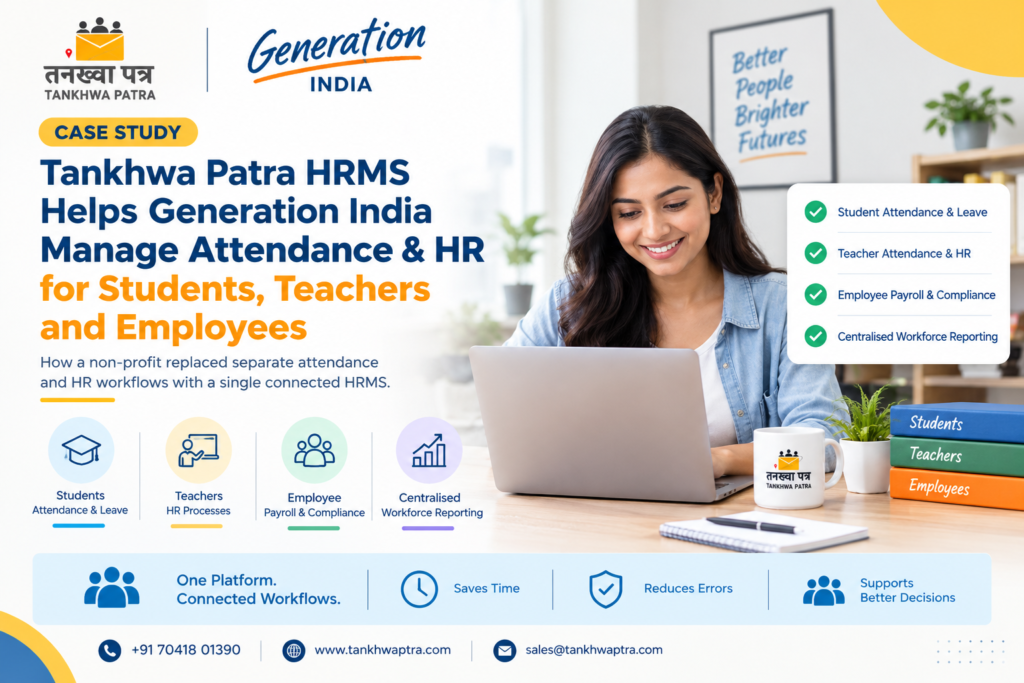
How one non-profit replaced separate attendance and HR workflows with a single connected HRMS.
Quick answer: Generation India, a pan-India non-profit in skill development, education and employment, needed attendance and HR for students, teachers and employees without running separate systems. It chose Tankhwa Patra HRMS, configured as one connected platform for student attendance and leave, teacher HR processes, employee payroll and compliance reports, and centralised workforce reporting.
Picture an HR coordinator at a skill-development organisation on the last working day of the month. Student attendance for different batches sits in one register, teacher leave requests arrive over email, and employee attendance lives in a separate tool that feeds payroll. Someone then spends hours stitching all three together just to answer who was present and who should be paid what.
Generation India wanted to avoid exactly this split. This case study explains who Generation India is, the challenge it faced, how Tankhwa Patra was configured for its three user groups, and what changed. It also covers a comparison of separate systems versus one HRMS, a seven-step rollout workflow, a nine-point buyer checklist, mistakes to avoid and which plan may suit similar organisations.
| ⚠️ Please Note This case study describes how Tankhwa Patra was configured for one organisation. Modules, setup and outcomes can differ by plan and by your requirements. PF, ESIC, professional tax and labour rules vary by state and change over time. Verify them with the latest government notification or a qualified CA or payroll professional. Tankhwa Patra generates compliance reports; it does not file returns or guarantee legal compliance. |
| Who is Generation India? |
Generation India is a non-profit organisation working in skill development, education and employment, with operations across India. Its work involves three distinct user groups: students or learners, teachers, and employees. Each group follows its own attendance rules, leave policies and HR requirements, which makes management more complex than in a typical company.
That mix is why a standard office-only setup was not enough. A non-profit HRMS has to respect the difference between a learner, a trainer and a salaried employee, and HRMS for NGOs is often judged on exactly that flexibility.
| 📘 Client snapshot Client: Generation India Industry: Non-profit, skill development, education and employment Operating model: Students and learners, teachers, and employees Location: Pan India HRMS platform: Tankhwa Patra |
| What challenge did Generation India face? |
Generation India needed one platform to manage user groups with very different HR requirements. Students needed attendance and leave tracking, teachers needed attendance and HR processes, and employees needed a full HRMS with payroll. Running a separate system for each group would have meant more logins, more data entry and scattered reports.
The organisation set out four clear requirements:
- Manage student attendance and leave.
- Support teacher and employee HR processes.
- Maintain separate workflows for each user group.
- Avoid running multiple attendance systems.
The difficulty was the combination. Each group needed its own rules, yet leadership needed one view of the whole organisation. For student attendance management in particular, many organisations end up with one tool for learners, another for staff and a spreadsheet in between.
| Why do separate attendance systems cause problems for multi-group organisations? |
Separate attendance systems cause problems because the same people, dates and policies get entered in several places. Reports stop matching, leave balances drift away from attendance records, and payroll depends on manual reconciliation. For a non-profit with students, teachers and employees, that also means more training, more logins and less time for programme work.
- Duplicate entry: holidays, locations and batches are set up again in each tool.
- Mismatched data: leave approved in one system does not reflect in attendance or payroll in another.
- Slow reporting: leadership has to wait while someone merges exports from different sources.
- Inconsistent rules: policies drift when each system is configured by a different person.
| How did Tankhwa Patra HRMS solve the problem? |
Tankhwa Patra HRMS was configured to support all three user groups within one connected platform. Students received digital attendance and leave management, teachers received attendance, leave and HR-related processes, and employees received the full HRMS with attendance, leave, payroll and compliance reports. Everything is managed centrally, with separate workflows for each group.
Student attendance and leave
Digital attendance and leave management for students and learners, set up with rules suited to training batches rather than office staff.
Teacher attendance and leave
Attendance, leave and HR-related processes for teachers, kept separate from student workflows while living on the same platform.
Employee HRMS
A full HRMS for employees, covering attendance, leave and payroll and compliance reporting. Tankhwa Patra’s listed payroll features include automated salary processing, custom salary structures, automatic salary slip generation, and PF, ESIC and PT compliance reports.
Centralised management
A single platform for all user groups, so reports and approvals come from one place. This is what turns three separate processes into centralised HR management.
| Pain point | Tankhwa Patra feature | What changes |
| Multiple attendance systems | One connected platform for all user groups | Students, teachers and employees tracked in one place |
| Different rules for each group | Separate workflows, custom leave policies, shifts and holiday calendars | Each group follows its own rules without a separate tool |
| Leave not matching attendance | Leave-attendance sync | Approved leave reflects in attendance records |
| Manual payroll for employees | Automated salary processing and salary slip generation | Employee payroll draws on attendance and leave data |
| Scattered compliance data | PF, ESIC and PT compliance reports | Reports generated from the same employee records |
| Slow organisation-wide reporting | HR analytics and reports | Leadership gets one view across all groups |
| What impact did Generation India see? |
Generation India now runs one platform for students, teachers and employees instead of separate systems. Attendance and leave management is streamlined, HR and compliance processes follow a clear structure, and workforce management and reporting are centralised. Leadership can view all three user groups together, while each group still follows its own rules.
| ✅ Results One platform for students, teachers and employees. Streamlined attendance and leave management. Structured HR and compliance processes. Centralised workforce management and reporting. |
These are qualitative outcomes reported for this deployment. Results for other organisations will depend on their size, setup and plan.
| Separate systems vs one connected HRMS: what is the difference? |
Separate systems keep each user group’s data in its own silo, so reports, leave and payroll must be reconciled by hand. One connected HRMS keeps every group on shared master data with separate workflows, so attendance, leave and payroll stay in sync and leadership sees one consolidated picture without waiting for exports.
| Area | Separate systems or spreadsheets | One connected HRMS |
| Attendance | Different tools for students and staff | One platform with group-wise rules |
| Leave | Tracked separately from attendance | Leave and attendance stay in sync |
| Payroll | Inputs compiled by hand each month | Payroll uses attendance and leave data |
| Policies | Configured separately in each tool | Custom policies managed in one place |
| Reports | Exports merged manually | Centralised HR analytics and reports |
| Access | Several logins for staff | Employee ESS app for payslips, attendance and leave |
| How does a multi-group HRMS rollout work? |
A multi-group HRMS rollout starts by mapping each user group and its rules, then configuring attendance, leave, shifts and payroll for each one on the same platform. Access, reports and approvals come next, followed by a review once real data starts flowing. The steps below show a typical sequence, not a fixed timeline.
- Map every user group
List each group, such as students, teachers and employees, and note who approves attendance and leave for each.
- Define attendance rules per group
Decide how each group marks attendance. Tankhwa Patra’s options include web and app punch-in, biometric and device integration, and offline machine data upload.
- Set leave policies and holiday calendars
Configure custom leave policies, week-off policies and holiday calendars, so each group follows its own rules.
- Configure shifts where needed
Set up multiple shifts for teachers or staff whose timings differ by centre or batch.
- Set up employee payroll
Create salary structures for employees, and link payroll to attendance, leave and overtime data.
- Give employees self-service access
Roll out the employee ESS app so staff can view payslips, attendance, leave and reimbursements.
- Centralise reports and review
Use HR analytics and reports to review all groups together, and adjust rules after the first month of live data.
| How do you choose an HRMS for multiple user groups? |
Choose an HRMS for multiple user groups by checking whether it can keep separate workflows for each group on one platform, sync leave with attendance, and run payroll for employees from the same data. Then look at reporting, mobile access, compliance reports and whether a free demo lets you test your real scenarios.
Use this nine-point buyer checklist:
- Can it support students, teachers and employees as separate groups on one platform?
- Can each group have its own attendance rules and approval flow?
- Does it support custom leave policies, week-offs and holiday calendars?
- Does leave automatically sync with attendance?
- Can employee payroll use attendance, leave and overtime data directly?
- Does it generate PF, ESIC and PT compliance reports?
- Is there a mobile self-service app for employees?
- Can leadership see centralised reports across every group?
- Can you book a demo or start a trial to test your own workflows first?
| What mistakes should organisations avoid when centralising HR? |
The most common mistakes are forcing every group into one set of rules, migrating messy data without cleaning it, skipping approval mapping, and treating compliance reports as legal sign-off. Centralising works best when each group keeps its own workflow and the platform simply brings their data into one place.
- Applying staff leave rules to students, or student rules to employees.
- Importing old attendance data without checking duplicates and gaps.
- Not deciding who approves what before going live.
- Keeping a parallel spreadsheet “just in case”, which brings back the reconciliation problem.
- Assuming compliance reports replace a CA’s review of statutory filings.
| Which Tankhwa Patra plan suits an organisation like this? |
Tankhwa Patra offers Dreamer, Performer and Achiever plans, with higher plans adding more modules. An organisation managing several user groups with payroll, compliance reports and centralised analytics should compare plans on the pricing page and book a demo, so the team can confirm which modules cover its exact setup.
Some features depend on the plan, and live GPS tracking is a paid add-on. See current plans on tankhwapatra.com/pricing and the full module list on the features page.
| What do organisations ask most about multi-group HRMS? |
1. What is the best HRMS for NGOs and non-profits in India?
The best HRMS for NGOs and non-profits in India is one that handles different user groups, such as staff, trainers and learners, on one platform with separate rules. Look for attendance and leave sync, payroll, compliance reports and central reporting, then test it with a demo using your own policies before deciding.
2. Can one HRMS manage student attendance and employee attendance together?
Yes. Generation India uses Tankhwa Patra to manage student attendance and leave alongside teacher and employee HR on one connected platform. Each group keeps its own workflow and rules, while reports and management stay centralised. Whether the same setup fits your organisation depends on your requirements and plan, so a demo helps confirm it.
3. How do non-profits manage teacher attendance and leave?
Many non-profits move teacher attendance and leave from registers and email into an HRMS. In Generation India’s case, teachers have their own attendance, leave and HR-related processes within Tankhwa Patra, separate from students and employees. Custom leave policies, shifts and holiday calendars let the organisation match each centre’s working pattern.
4. Does Tankhwa Patra generate salary slips, and can the salary slip format be changed?
Automatic salary slip generation is a listed Tankhwa Patra payroll feature, with employees able to view payslips in the ESS app. A salary slip usually shows earnings, deductions and net pay. If you need a custom salary slip format or template, confirm with the Tankhwa Patra team before you decide.
5. Does Tankhwa Patra HRMS generate PF, ESIC and PT reports?
Yes. Tankhwa Patra lists PF, ESIC and PT compliance reports and audit-ready reports among its features. These reports help HR teams prepare statutory work, but the software does not file returns. Rules differ by state and change over time, so verify current requirements with a qualified CA or payroll professional.
6. Can employees check payslips and attendance on mobile?
Yes. Tankhwa Patra’s employee ESS app gives staff access to payslips and salary details, attendance, leave, reimbursements and documents. This reduces routine questions to HR, because employees can check their own records. Availability of specific modules can depend on your plan, so confirm details during a demo.
| Conclusion |
Generation India’s story shows that serving students, teachers and employees does not have to mean three separate systems. With Tankhwa Patra HRMS configured as one connected platform, each group keeps its own rules while leadership gets one centralised view of attendance, leave, HR and reporting.
If your organisation manages more than one type of user, start by mapping each group’s rules, then see how they fit on a single platform. We thank the Generation India team for their trust.
Book a Free Demo or Start a Free Trial of Tankhwa Patra HRMS at tankhwapatra.com.
Call: +91 70418 01390 | +91 89809 38940
Disclaimer: The information provided is for general informational purposes only. It may vary over time, so we recommend verifying the details independently before making any decisions.
