
What Is the Best HRMS for Schools and Educational Institutions in India 2026?
A clear answer on what schools, colleges and coaching institutes need from HR and payroll software, so teacher and staff salaries are right every month.
Quick answer: Schools struggle with payroll when teacher attendance, leave, vacation rules and different pay structures are tracked in registers and Excel. The best HRMS for schools links biometric attendance, leave policies and holiday calendars to payroll. Tankhwa Patra HRMS does this in one system and generates salary slips and PF, ESIC and PT reports.
It is the 30th at a CBSE school with 80 teachers and 40 support staff. The accounts head is matching the biometric report against the leave register, but three teachers took half-days that were never entered, a guest faculty member’s hours are on a separate sheet, and the transport staff were paid extra for a field trip that nobody recorded. By the 2nd, teachers are asking the principal why their salary is short.
This guide is for trustees, principals, administrators and accounts teams at schools, colleges and coaching institutes across India. It explains what an HRMS for schools does, why manual staff payroll goes wrong, how Tankhwa Patra HRMS handles teaching and non-teaching staff, a buyer checklist, a 7-step workflow, mistakes to avoid and which plan to look at.
| ⚠️ Please Note PF, ESI, professional tax, gratuity and other payroll rules vary by state, by type of institution and over time. Government-aided and private schools may also follow different pay rules. This guide does not state statutory rates, slabs, limits or due dates and is not legal or tax advice. Verify current rules with the latest government notification or a qualified CA or payroll professional. |
| What is an HRMS for schools and educational institutions? |
An HRMS for schools and educational institutions is software that manages teaching and non-teaching staff in one place. It records attendance, applies leave policies and the academic holiday calendar, runs payroll for different salary structures, generates salary slips and compliance reports, and supports hiring, onboarding, appraisals and exits through each academic year.
Schools are not like offices. Staff include permanent teachers, guest or part-time faculty, lab assistants, librarians, accountants, drivers, security and housekeeping, each on different terms. The year follows exams, vacations and admission seasons. A good HRMS for schools is set up around that calendar rather than a generic 9-to-6 week.
| What should the best HRMS for a school include? |
The best HRMS for a school should include biometric attendance, custom leave policies, holiday calendars, multiple salary structures for teaching and non-teaching staff, automated payroll with salary slips, loan and advance management, PF, ESIC and PT reports, recruitment and onboarding, performance management, and a self-service app where staff can see payslips, leave and documents.
Here is why each one matters in a school:
- Biometric attendance: most schools already have a machine at the staff entrance, and punches should reach payroll without retyping.
- Leave policies and holiday calendars: casual, sick and other leave types, plus vacations and festival holidays, are applied by rule.
- Multiple salary structures: a senior teacher, a lab assistant and a bus driver keep their own pay components.
- Recruitment and onboarding: new teachers join every academic session, so offer letters and joining steps should be tracked.
- Performance management: teacher appraisals are recorded in the same system as pay.
- Staff app: teachers check payslips and apply for leave on their phones instead of visiting the office.
| Why does manual staff payroll go wrong in schools? |
Manual payroll goes wrong in schools because attendance, leave, vacations, guest faculty hours and advances are recorded in different registers and sheets. When the accounts team merges them at month-end, half-days are missed, approved leave is marked as absence, advances are forgotten, and teachers receive salary slips that do not match the days they actually worked.
- Leave in a paper register: the biometric report shows an absence, but the leave was approved by the principal.
- Biometric data copied by hand: punches are exported and pasted into Excel, and rows shift.
- Different terms for different staff: permanent, probation and guest faculty are on separate sheets with separate formulas.
- Salary advances on paper: recoveries are missed or deducted twice.
- Session-end turnover: joining and exit paperwork piles up in April and May.
| How does Tankhwa Patra HRMS help schools and educational institutions? |
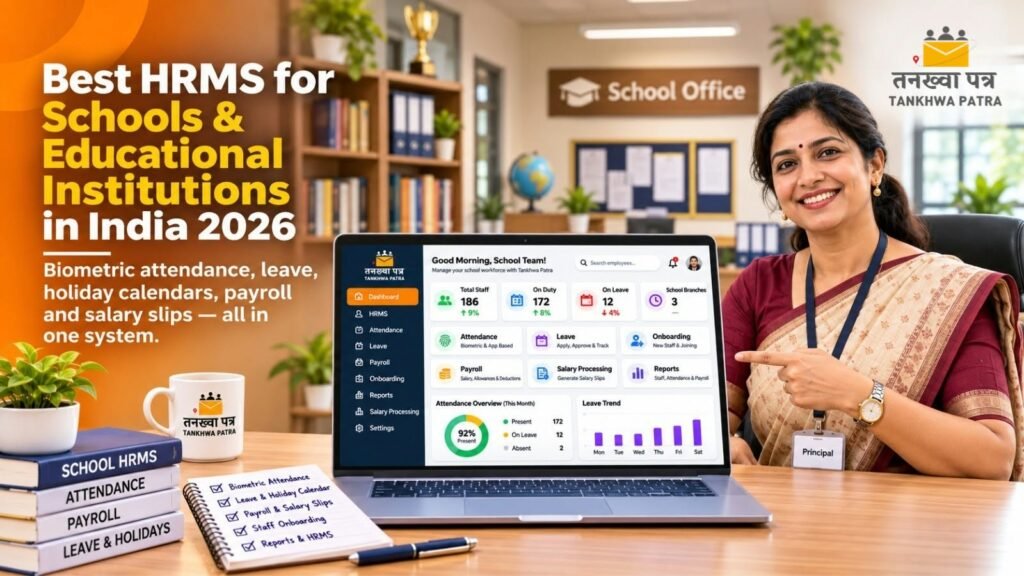
Tankhwa Patra HRMS connects attendance, leave, holiday calendars, salary structures and payroll in one system. Staff punch in on biometric devices or the app, leave goes through approvals and syncs with attendance, and payroll runs on that verified data. Salary slips are generated automatically, and teachers can see them, along with leave and documents, in the app.
The table below maps common school HR problems to features listed on the Tankhwa Patra features page.
| Pain point | Tankhwa Patra feature | What changes |
| Leave approved on paper, marked absent | Custom leave policies, leave-attendance sync | Fewer loss-of-pay errors |
| Biometric punches copied into Excel | Biometric and device integration; offline upload via Excel or USB | Punches reach payroll without retyping |
| Vacations and festival holidays handled manually | Holiday calendars, week-off policies | Working days counted correctly |
| Teaching and non-teaching staff on different pay | Custom and multiple salary structures, automatic CTC calculator | Each role keeps its own structure in one system |
| Salary advances tracked on paper | Loan and advance management | Recoveries are scheduled, not forgotten |
| Field trip and event expenses paid in cash | Mobile expense claims with proof, adjusted in salary slips | Reimbursements paid through payroll |
| New teachers joining every session | Recruitment, offer letters, pre-boarding, onboarding, off-boarding | Joining and exit steps are tracked |
| Appraisals in separate files | Performance management (PMS) | Appraisals recorded alongside HR data |
| Teachers visiting the office for payslips | Employee ESS app; Mirayo AI chatbot | Staff check payslips and leave on their phones |
| Unknown visitors at the staff entrance | Visitor gate pass | Visitor entries recorded |
| ⚠️ Please Note: confirm these before you buy Student management, fee collection, timetables, substitution or period-wise teacher attendance, per-lecture pay for guest faculty, automatic pay commission or DA revisions, arrears calculation, gratuity calculation, face recognition, bank payment files, Form 16, TDS computation, statutory e-filing and WhatsApp payslip delivery are not listed on the Tankhwa Patra website. If you need any of them, confirm with the Tankhwa Patra team. |
| How do you choose HRMS software for a school? |
Choose HRMS software for a school by testing it against your real staff list and academic calendar. Check that it reads your biometric machine, applies leave and vacation rules, keeps separate salary structures for each role, handles advances and expenses, and protects salary data by role. Use the 9-point checklist below in every demo so you compare vendors fairly.
9-point buyer checklist
- It integrates with your existing biometric device, or accepts offline data via Excel or USB.
- Leave types, approvals and leave-attendance sync can be set to your school’s policy.
- Your academic holiday calendar and vacations can be configured.
- Teaching, non-teaching and contract staff can each have their own salary structure.
- Salary slips are generated in bulk, and loans and advances are recovered automatically.
- It generates PF, ESIC and PT reports and audit-ready records from payroll data.
- Recruitment, offer letters, onboarding and exits are handled in the same system.
- Salary data is protected by role-based access, so only authorised staff see it.
- The vendor demos one month of your own staff data and lists plans clearly on its pricing page.
| Spreadsheet vs HRMS: which works better for school payroll? |
A spreadsheet can work for a small coaching centre with a few staff on one salary type. With dozens of teachers, vacations and several pay structures, it becomes error-prone. An HRMS applies the same leave, holiday and salary rules every month and generates salary slips in bulk, so accounts reviews payroll instead of rebuilding it.
| Area | Spreadsheet | HRMS |
| Attendance | Biometric export pasted into Excel | Device integration or offline upload |
| Leave | Paper register checked by hand | Leave synced with attendance and payroll |
| Holidays and vacations | Adjusted manually each month | Holiday calendar applied by rule |
| Salary structures | Different formulas per staff type | Multiple salary structures in one place |
| Advances and expenses | Separate sheets, easy to miss | Recoveries and claims adjusted in payroll |
| Salary slips | Built one at a time | Generated automatically in bulk |
| Compliance reports | Compiled manually | PF, ESIC and PT reports from payroll data |
| Staff queries | Visits to the office | Self-service app |
| Data access | Anyone with the file can see all salaries | Role-based security |
| What does an attendance to salary slip workflow look like in a school? |
In an HRMS, a school moves from attendance to salary slip in seven steps. You set leave policies, the holiday calendar and salary structures once, staff punch in on the biometric device, the principal approves leave during the month, and accounts runs bulk payroll on data that is already checked. Here is how a typical month works.
7-step workflow
- Set up rules: create leave policies, week-off policies and the academic holiday calendar, including vacations.
- Set up salary structures: configure separate structures for teaching, non-teaching and contract staff.
- Staff punch in: the biometric device captures attendance, or offline machine data is uploaded through Excel or USB.
- Leave is approved: staff apply for leave in the app, and the principal or coordinator approves it.
- Claims are submitted: staff submit field trip or event expenses with proof, and they are approved.
- Accounts runs payroll: bulk salary processing pulls in attendance, leave, approved expenses and advance recoveries, then accounts verifies.
- Slips and reports go out: salary slips are generated automatically and appear in the ESS app, and PF, ESIC and PT reports are generated.
| Illustrative example (not real data) A teacher has a fixed monthly gross of ₹35,000. The school’s policy counts 30 days in the month. She had 1 day of loss of pay. Per-day salary: ₹35,000 ÷ 30 = ₹1,167 (rounded). Earned salary: ₹35,000 − ₹1,167 = ₹33,833. Add an approved field trip expense of ₹800. Total before deductions: ₹34,633. PF, ESI, professional tax and any advance recovery are then deducted under current rules and school policy. Per-day methods vary by institution. All figures are illustrative. |
| Result Every line on the salary slip traces back to a punch, a leave approval or a claim. When a teacher asks about a deduction, accounts can show her the record in minutes. |
| What mistakes should schools avoid when choosing an HRMS? |
The most common mistakes are confusing an HRMS with a school ERP, testing with sample data instead of your own staff, ignoring the existing biometric machine, and expecting the software to file returns. Each one causes rework after go-live. Check the points below during the demo so the system fits how your school actually runs.
- Mixing up HRMS and school ERP: an HRMS handles staff; student records, fees and timetables usually sit in a separate ERP.
- Demoing with sample data: ask the vendor to run one real month of your staff payroll.
- Ignoring your biometric machine: confirm integration for your device model, or plan an offline upload.
- Skipping leave and vacation rules: write the policy down before go-live, or disputes move into the software.
- Migrating messy data: clean staff records, salary structures and leave balances before importing them.
- Confusing reports with filing: an HRMS can generate PF, ESIC and PT reports; filing stays with you and your CA.
- Assuming education-specific features: per-lecture pay or pay commission revisions are not listed; confirm in writing.
| Which Tankhwa Patra plan suits a school or college? |
Tankhwa Patra offers three plans, Dreamer, Performer and Achiever, and higher plans add more modules. The right plan depends on whether you need only payroll, attendance and leave, or also recruitment, onboarding, performance management, assets and a helpdesk. Compare the plans on the pricing page and confirm what each includes with the Tankhwa Patra team.
A simple way to decide before you speak to the team:
- Coaching centre or small school: list your payroll, attendance and leave needs, then check which plan covers them.
- Large school or college: add recruitment, onboarding, performance management and compliance reports to your list.
- School group or trust: if you also need asset management, a helpdesk, HR analytics or ERP integration, compare the higher plans.
See current plans on tankhwapatra.com/pricing. Some features depend on the plan, so confirm what is included in writing.
| Frequently asked questions |
1. What is the best HRMS for schools in India?
The best HRMS for schools in India is one that reads biometric attendance, applies leave policies and the academic holiday calendar, and runs payroll for teaching and non-teaching staff on different salary structures. Look for salary slips, PF, ESIC and PT reports, recruitment, appraisals and a staff app. Tankhwa Patra HRMS covers these in one system.
2. Is an HRMS different from a school ERP?
Yes. A school ERP usually manages students, admissions, fees, timetables and exams. An HRMS manages staff: attendance, leave, payroll, salary slips, hiring, appraisals and exits. Some schools use both. Tankhwa Patra lists ERP integration, so if you already use a school ERP, confirm compatibility with the Tankhwa Patra team before you decide.
3. How do schools handle teacher leave and summer vacation in payroll?
Schools set leave types and approval rules as policies in the HRMS, and enter vacations and festival holidays in the holiday calendar. Approved leave then syncs with attendance, so payroll counts working days correctly. How vacation is paid depends on your institution’s policy and applicable rules, so verify it with a qualified CA or payroll professional.
4. What should a salary slip format for teachers include?
A salary slip format for teachers, also searched as tankhwa patra in Hindi, should show employee and school details, pay period, days worked and loss of pay, earnings such as basic pay, DA, HRA and other allowances, approved reimbursements, deductions such as PF, ESI, professional tax and advance recovery, and the final net pay.
5. Can Tankhwa Patra pay guest faculty per lecture?
Per-lecture pay is not listed on the Tankhwa Patra website, so confirm with the Tankhwa Patra team. What is listed includes custom and multiple salary structures, an automatic CTC calculator and bulk salary processing. Institutes that pay visiting or guest faculty by the hour or by lecture should check how this would work before choosing a plan.
6. Does Tankhwa Patra file PF and ESIC returns for schools?
No. Tankhwa Patra HRMS generates PF, ESIC and PT reports and audit-ready reports from your payroll data, which makes filing easier. Filing returns and staying compliant remain the institution’s responsibility. For statutory e-filing, Form 16 or TDS computation, confirm with the Tankhwa Patra team and work with your CA or payroll professional.
| Conclusion |
In a school, payroll is only as accurate as the attendance and leave records behind it. When biometric punches, leave approvals and the holiday calendar flow straight into payroll, month-end becomes a review rather than a rebuild, and teachers get salary slips they can trust.
Use the checklist in this guide to compare vendors, demo with a real month of your staff data, and confirm anything that is not listed before you sign. If you want staff attendance, leave and payroll in one place, Tankhwa Patra HRMS is worth a demo.
Book a Free Demo or Start a Free Trial of Tankhwa Patra HRMS at tankhwapatra.com.
Call: +91 70418 01390 | +91 89809 38940
Disclaimer: The information provided is for general informational purposes only. It may vary over time, so we recommend verifying the details independently before making any decisions.
