
Kesar Control Systems Case Study: Attendance, Field Tracking & Payroll Automation with TankhwaPatra
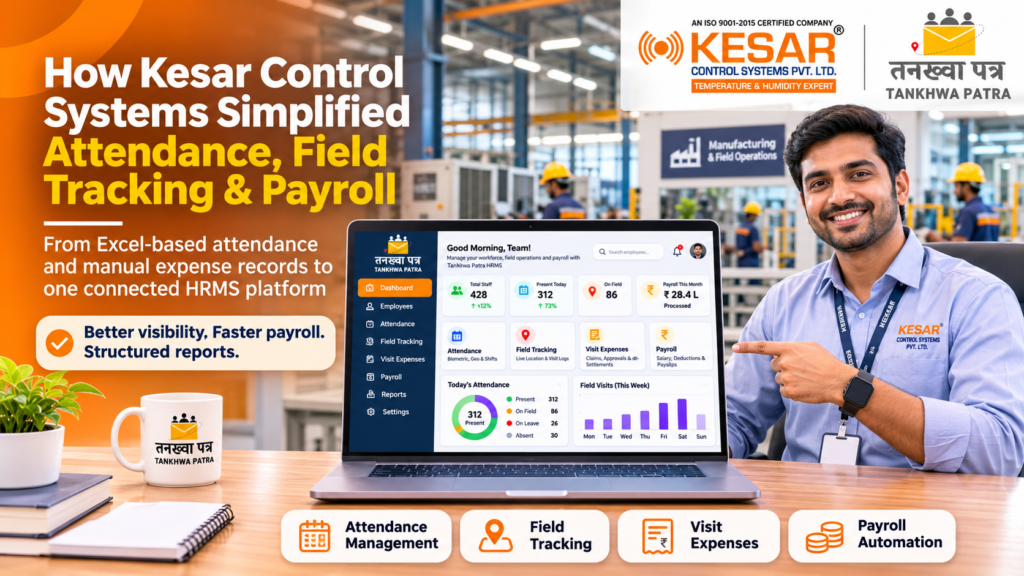
How did a manufacturing company move from Excel-based attendance and manual expense records to one connected HR platform?
Quick answer: Kesar Control Systems Private Limited, a manufacturing company in Ahmedabad, Gujarat, was managing attendance in Excel, processing salaries manually and keeping visit expenses on paper and sheets, while employee tracking and kilometre data were not always accurate. TankhwaPatra centralised attendance, employee tracking, payroll, visit management and expense processes on a single platform, and added automated reports for consolidated information.
Picture an HR and accounts team at the end of a busy month. Attendance sits in an Excel sheet, field movement has to be checked against kilometre figures, visit expenses are collected and verified one by one, and salaries cannot be finalised until every piece has been matched. Each step gets done, but each one adds effort and a chance of error.
This case study explains who Kesar Control Systems is, the four problems its HR, payroll and field- management processes faced, how we addressed each one inside TankhwaPatra HRMS, and what changed. It also compares manual and structured workforce management, walks through a seven-step implementation approach, and gives a checklist for manufacturing companies.
Please note: This case study describes a setup for one client. Features and modules can depend on your plan, and your own requirements may differ, so confirm them with the TankhwaPatra team. Payroll, PF, ESIC and professional tax rules vary by state and change over time, so verify them with the latest government notification or a qualified CA or payroll professional. TankhwaPatra supports payroll processing and compliance reports; it does not file returns or guarantee legal compliance.
| Client snapshot | |
| Client | Kesar Control Systems Private Limited |
| Industry | Manufacturing |
| Location | Ahmedabad, Gujarat |
| HRMS platform | TankhwaPatra |
| Theme | People | Process | Progress |
Who is Kesar Control Systems?
Kesar Control Systems Private Limited is a manufacturing company based in Ahmedabad, Gujarat. Like many manufacturers, it has to manage employees across more than one kind of work: people whose attendance is recorded in the plant or office, and people whose work involves field activity and visits. That is why it needed one system that could handle attendance, tracking, payroll and expenses together, rather than separate sheets for each.
What HR and payroll challenges did Kesar Control Systems face?
Kesar’s teams were spending time on manual records and cross-checking. Four problems stood out, and each one made monitoring and reporting harder.
- Employee tracking data and kilometre calculations were not always accurate, which made field activities difficult to monitor effectively.
- Attendance was managed manually in Excel, adding effort and a higher risk of errors.
- Salary processing and payroll-related activities were handled manually, making the overall process time-consuming.
- Visit expenses were maintained manually, so tracking, verification and reporting were more difficult.
None of this is unusual for a growing manufacturer. The real challenge was bringing attendance, field activity, payroll and expenses into one place, so that each process could support the others instead of running on its own sheet.
Why do manual HR processes struggle in manufacturing companies with field teams?
Manual processes struggle because attendance, field movement, expenses and salary are linked, yet each is often recorded in a different place. When they live in Excel files and paper records, someone has to collect, match and verify them before payroll can be finalised. That slows payroll processing, invites errors and makes results harder to verify.
- Scattered records: attendance, visits and expenses are kept separately, so they must be reconciled by hand.
- Unreliable field data: when tracking and kilometre figures are not always accurate, it is hard to monitor field activities with confidence.
- Manual expense handling: visit expenses maintained by hand are harder to verify and report on.
- Time-consuming payroll: salary processing that depends on manual inputs takes longer and leaves more room for mistakes.
How did TankhwaPatra address each requirement?
TankhwaPatra centralized attendance, employee tracking, payroll, visit management and expense-related processes on a single platform. Because everything sits inside the same system, HR no longer carries data between sheets.
- Centralised platform. Attendance, employee tracking, payroll, visit management and expenses are managed in one place instead of across separate files.
- Employee tracking and visit management. Tracking and visit activities can be managed digitally, giving better visibility of field movement and activity data.
- Attendance and salary processing. Both are streamlined through the software, reducing dependency on manual Excel-based processes.
- Visit expense management. Visit expenses can be recorded and managed digitally for easier monitoring and reporting.
- Automated reports. Consolidated information is available in a structured format, reducing manual reporting work.
What impact did Kesar Control Systems see?
Kesar moved from manual Excel and paperwork to structured digital workforce management. Attendance, tracking, visits, expenses and payroll are now handled through one platform, with reports available in a structured format.
- Reduced dependency on manual Excel and paperwork across key HR and payroll processes.
- Improved visibility and control over employee attendance, tracking, visits and expenses.
- Reduced manual effort and improved process accuracy through automation.
- Faster payroll processing and easier access to consolidated reports.
- Key HR and field-management processes can now be completed efficiently through a single platform.
These are qualitative outcomes for this deployment. Results for other companies will depend on their requirements, setup and plan.
| Pain point | TankhwaPatra solution | What changes |
| Tracking data and kilometre calculations not always accurate | Employee tracking and visit management | Better visibility of field movement and activity data |
| Attendance managed manually in Excel | Centralised attendance management | Reduced dependency on manual Excel processes |
| Salary processing handled manually | Payroll processing streamlined in the software | Faster payroll processing |
| Visit expenses maintained manually | Digital recording of visit expenses | Easier monitoring and reporting |
| Manual reporting effort | Automated reports | Consolidated information in a structured format |
Manual process vs structured HRMS: what is the difference?
A manual process expects HR to gather and verify every input before payroll. A structured HRMS keeps attendance, tracking, visits and expenses in one system, so payroll and reporting start from organised data instead of scattered sheets.
| Area | Manual process | Structured HRMS |
| Attendance | Managed in Excel | Centralised in one system |
| Employee tracking | Data and kilometre calculations not always accurate | Digital tracking and visit management |
| Payroll | Salary processing handled manually | Streamlined through the software |
| Visit expenses | Maintained manually | Recorded and managed digitally |
| Reporting | Compiled by hand | Automated, structured reports |
How does a structured HRMS implementation work?
It starts by listing every process the company runs, then mapping which ones fit standard features and which need configuration. Teams then test with real data before going live. The steps below are a typical sequence, not a fixed timeline for every company.
- List every attendance, field and payroll process. Write down how attendance, field visits, expense claims and salary processing work today, including exceptions.
- Map processes to standard features. Check which ones fit existing features such as attendance, tracking, visit management, expenses and salary structures.
- Agree on any customisation. For needs that go beyond standard features, agree on the approach with the TankhwaPatra team before setup begins.
- Set up attendance and employee data. Configure attendance sources and employee records, and confirm that data arrives correctly.
- Configure tracking, visits, expenses and payroll. Set up visit and expense workflows and connect them to the payroll process.
- Run a parallel test month. Process one month in the HRMS alongside your current method and compare line by line.
- Go live and review. Switch over, give employees app access, and review reports after the first live payroll.
How do you choose an HRMS for a manufacturing company?
Choose one that handles attendance, field tracking, expenses and payroll in one place, then test it in a demo with your own data. Use this checklist:
- Does it centralise attendance for all employees and locations?
- Can it track field employees and manage visits digitally?
- Can visit expenses be recorded and managed digitally?
- Does attendance flow directly into salary processing?
- Does it generate automated, structured reports?
- Does it generate PF, ESIC and PT compliance reports?
- Will the vendor configure workflows for your exceptions?
- Can employees use it from a mobile app?
- Can you book a demo or start a trial with your own data?
What mistakes should companies avoid?
- Customising processes that a standard feature already handles.
- Explaining exceptions verbally instead of documenting them.
- Going live without comparing a full month of payroll.
- Keeping old Excel sheets and paper expense records running after go-live.
- Treating system reports as a replacement for a CA’s review.
Which TankhwaPatra plan suits a manufacturing company?
TankhwaPatra offers Dreamer, Performer and Achiever plans, with higher plans adding more modules. A manufacturer that needs attendance, employee tracking, visit and expense management and payroll should compare plans on the pricing page, then book a demo to confirm which modules fit. Some features depend on the plan, and live GPS tracking is a paid add-on. See current plans at tankhwapatra.com/pricing and the module list on the features page.
What do manufacturers ask most about attendance, tracking and payroll automation?
1. What is the best HRMS for manufacturing companies in India?
The best choice keeps attendance, payroll, field tracking and expenses in one system, and generates reports and compliance outputs. It should also fit the way your own teams work. Shortlist a few options and test them in a demo using your own attendance and payroll data.
2. Can an HRMS replace Excel-based attendance?
Yes. For Kesar Control Systems, TankhwaPatracentralised attendance on one platform and reduced dependency on manual Excel-based processes. If your attendance sources or rules differ, confirm the setup with the TankhwaPatra team.
3. Can field employee tracking and visits be managed digitally?
Yes. In Kesar’s setup, employee tracking and visit activities are managed digitally, giving better visibility of field movement and activity data. Tracking features can depend on your plan, and live GPS tracking is a paid add-on, so confirm what you need during a demo.
4. Can visit expenses be recorded digitally?
Yes. For Kesar, visit expenses can be recorded and managed digitally, which makes monitoring and reporting easier. If you have a specific approval flow for expenses, share it with the TankhwaPatra team before setup.
5. Does it speed up salary processing?
In Kesar’s case, attendance and salary processing were streamlined through the software, which led to faster payroll processing. Test this with your own data and a parallel month before going live.
6. Can HR get consolidated reports automatically?
Yes. Automated reports give consolidated information in a structured format, which reduces manual reporting work. Ask for the reports you need during a demo.
Conclusion
Kesar Control Systems’ needs were specific but common in manufacturing: reliable employee tracking and kilometre data, attendance without Excel, faster payroll and digital visit expenses. By bringing attendance, tracking, payroll, visits and expenses onto one TankhwaPatra platform, Kesar reduced its dependency on manual Excel and paperwork and gained better visibility and control over key HR and field-management processes.
If your company in Ahmedabad, Gujarat or anywhere in India still runs on Excel sheets and manual expense records, start by writing down how each process works today and testing it in a demo. We thank the Kesar Control Systems team for their trust.
Book a Free Demo or Start a Free Trial of TankhwaPatra HRMS at tankhwapatra.com.
Call: +91 70418 01390 | +91 89809 38940
Disclaimer: The information provided is for general informational purposes only. It may vary over time, so we recommend verifying the details independently before making any decisions.
